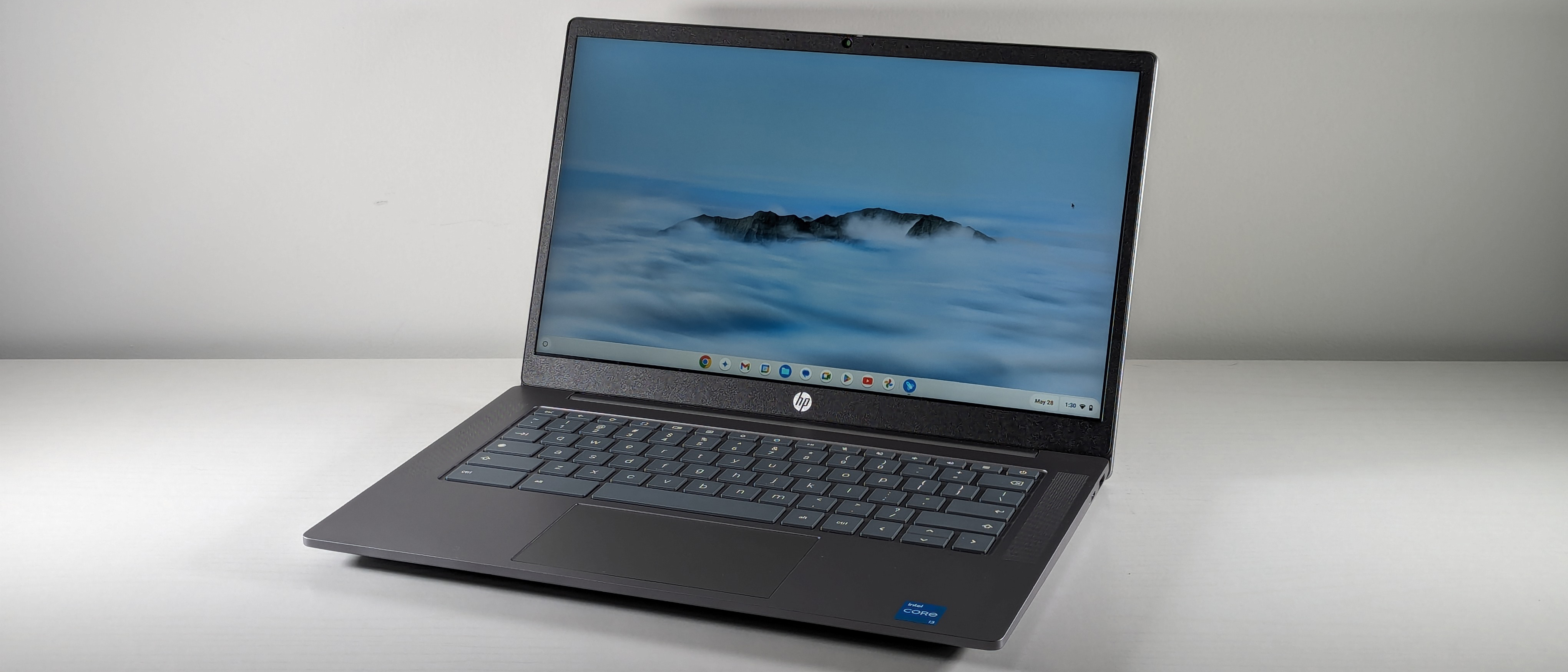
The HP Chromebook Plus 14a is a sturdy everyday Chromebook built around its keyboard and its cool-running chassis rather than its spec sheet. Laptop Mag rated it 3.5 out of 5, praising the typing experience while flagging a dim display and middling performance from the Intel Core i3-N305. It is a dependable clamshell for browsing and schoolwork that the higher picks here beat on screen, storage and speed.
Full review
Intel Core i3-N305 paired with only 8GB of RAM
The 14a runs the same eight-core Intel Core i3-N305 as the Acer Chromebook Plus 514, but Laptop Mag found the result only middling, writing that with just 8GB of RAM the machine "isn't running a computing marathon anytime soon." Browsing, documents, streaming and light Android apps are fine; a dozen tabs plus a couple of apps and you can feel it working.
The same chip feels quicker in the Acer 514, where a faster SSD speeds app loads and file operations, so the shortfall is as much about storage as silicon. As a Chromebook Plus device the 14a still clears Google's higher hardware bar and ships with a 1080p webcam rather than the grainy 720p cameras common at this price.
A keyboard that outclasses the rest of the machine
Laptop Mag's reviewer "click-clacked away on the HP Chromebook Plus 14a's keyboard and found it to be surprisingly comfortable," which is the single strongest reason to pick this Chromebook over its rivals. The chassis backs it up, described as "just thick and heavy enough to feel like it could take a few tumbles in a school bag."
Heat is handled well too. The underside measured 77.5 degrees Fahrenheit after streaming video, cool enough to keep on a lap through a long call. For a device that lives in a backpack and gets typed on all day, that combination matters more than a benchmark score.
Dimmer and duller than average, in a 16:9 shape
The 14-inch 1920x1080 display is the weakest part of the laptop. Laptop Mag called it "a little dimmer and duller than average," which is serviceable for indoor schoolwork but poor for media or for working near a window.
The 16:9 aspect ratio compounds it, showing less vertical content than the 16:10 panel on the Lenovo IdeaPad Flex 5i and forcing more scrolling through documents. Between brightness and shape, the screen is the clearest reason this sits behind the higher-ranked picks.
8 hours 50 minutes of runtime at 3.2 pounds
Battery life came in at 8 hours 50 minutes, enough to cover a school or work day without a charger, and at 3.2 pounds the 14a is easy to carry between classes. Neither figure leads the category, but both clear the bar a student actually needs.
Lon.TV, which rated it 4 out of 5, singled out the included year of cloud storage as making the 14a "a decent value for those looking for a no frills laptop." That helps offset the small local drive for anyone who works out of Google Drive.
128GB of UFS storage against the Acer 514's 512GB
Storage is the hardest limitation to work around. The 14a ships with 128GB of UFS storage where the similarly priced Acer Chromebook Plus 514 offers a 512GB SSD, so anyone who keeps files or photos locally will feel the squeeze quickly.
Set against the rest of the group, the 14a is a step up from the bargain ASUS Chromebook CX15 on speed, build and keyboard, and a step below the Acer 514 and Lenovo Flex 5i on screen, storage and outright pace. It is the dependable choice rather than the exciting one.
Strengths
- +Keyboard is comfortable enough to be the reason to buy the laptop
- +Chassis is thick and heavy enough to survive a school bag
- +Underside measured 77.5 degrees Fahrenheit after streaming video
- +Chromebook Plus tier brings a 1080p webcam instead of the usual 720p
- +Battery ran 8 hours 50 minutes, enough for a school day
Watch-outs
- −Intel Core i3-N305 performance trails the best at this price
- −The 14-inch 1920x1080 panel is dimmer and duller than average
- −Only 128GB of UFS storage, a quarter of the Acer 514's 512GB
- −The 16:9 panel shows less than the Lenovo Flex 5i's 16:10 screen
How it compares
It shares the Intel Core i3-N305 with the Acer Chromebook Plus 514 but pairs it with 128GB of UFS storage rather than the Acer's 512GB SSD. Its 14-inch panel is dimmer than the Lenovo IdeaPad Flex 5i and ASUS Chromebook Plus CX34 screens, and the 16:9 shape shows less than the Flex 5i's 16:10 display, though it is faster and better built than the budget ASUS Chromebook CX15.
Rating sources
“I click-clacked away on the HP Chromebook Plus 14a's keyboard and found it to be surprisingly comfortable.”
“If you're looking for something compact, sturdy, and easy to use, the HP Chromebook Plus 14a is a solid choice.”
“The performance on this HP is excellent and its free year of cloud storage makes it a decent value for those looking for a no frills laptop.”
Our 3.8 score is the average of these published ratings. Ratings marked * were derived from the reviewer’s written analysis or video transcript — the publisher didn’t print an explicit numeric score, so we inferred one from their own words. Click through to verify. More about methodology.