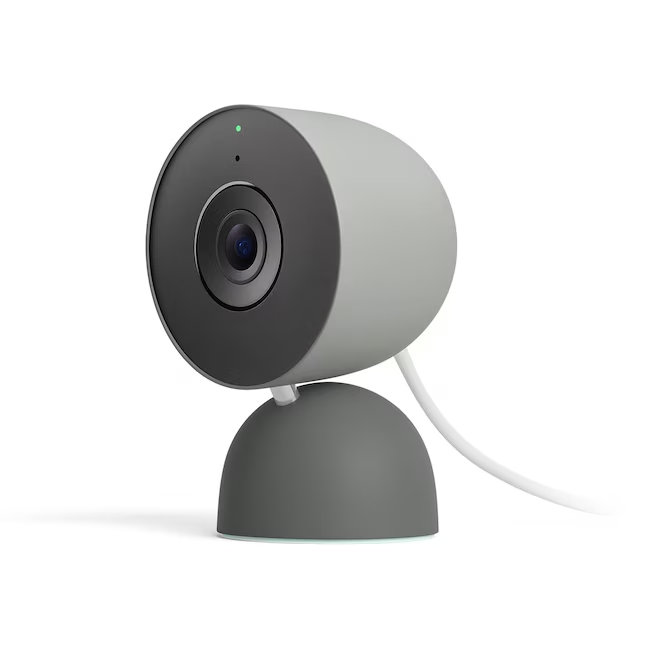
The Google Nest Indoor Cam (3rd Gen) brings a significant upgrade in video resolution to 2K with a wider 152-degree field of view. It integrates Google's Gemini AI for smarter video filtering and summarization, though many features require a Google Home Premium subscription. The camera is compact, but lacks a battery option and runs hot during use. It's designed for indoor placement near power outlets and offers both table and wall mounting options.
Full review
2K video clarity and field of view
The Nest Indoor Cam (3rd Gen) delivers a significant upgrade in video quality with its 2K HDR resolution, capturing footage at 2,560 by 1,440 pixels. This is a marked improvement over the previous generation's 1080p resolution, providing much sharper images that allow users to clearly identify faces and fine details. Reviewers noted that the camera's 152-degree field of view covers more of a room than earlier models, making it easier to monitor larger spaces without needing multiple cameras. The wider angle also helps in capturing more context during events, which is particularly useful for the AI features that rely on visual understanding.
The enhanced resolution and field of view translate into practical benefits for users. The camera's 6x digital zoom capability further enhances the ability to focus on specific areas within the frame, though it does introduce some distortion typical of digital zoom. The combination of these features makes the 3rd Gen model particularly suitable for monitoring living rooms, hallways, or other large indoor areas where comprehensive coverage is essential.
Gemini AI integration and functionality
The primary new feature of the 3rd Gen model is the integration of Gemini AI, which transforms how users interact with recorded footage. The AI provides descriptive event notifications that go beyond simple motion detection, offering explanations like 'person detected' with more context. Users can search through recorded events using natural language commands, such as 'when did the dog jump on the couch?' Without the subscription, users are limited to 6 hours of event video previews.
The AI features work well in practice, though not flawlessly. Some reviewers noted that the AI occasionally misidentifies events, which is consistent with the limitations of current AI systems in security cameras. The daily summaries feature provides a concise overview of events, which is particularly helpful for users who don't want to manually review every clip. However, the AI's accuracy depends on the quality of the video feed and the complexity of the event being analyzed. The event descriptions and search capabilities are most valuable when users are looking for specific incidents rather than general monitoring.
Setup and compatibility with Google Home
Setup is straightforward for users already familiar with the Google Home ecosystem. The process is handled entirely through the Google Home app, which streamlines the configuration of the camera's settings, including motion detection zones and alert preferences. As Smart Home Issues notes, the camera connects via a 10-foot USB-C cable, which must be positioned near a power outlet, limiting placement flexibility. Reviewers noted that the setup process is faster and more reliable than previous models, with the new app design improving navigation and performance. The camera integrates seamlessly with other Nest devices and Google Home products, allowing users to create automated routines and control multiple devices from a single interface.
One notable limitation is the lack of compatibility with Apple HomeKit or IFTTT applets, which may be a dealbreaker for users who prefer those ecosystems. The camera also requires a Google Account to function, and the Nest app is no longer used for this model. The Google Home app provides a centralized location for managing the camera alongside other smart home devices, but the transition from the old Nest app to the new interface has caused some confusion among users during the rollout phase.
Power and connectivity considerations
Unlike previous generations, the 3rd Gen model is a wired-only camera, eliminating the need for battery management but requiring a power outlet nearby. The camera uses a 10-foot USB-C cable and adapter, which must be positioned within reach of a power source. This design choice removes the flexibility of battery-powered models but allows for more consistent performance and eliminates concerns about low battery warnings. Reviewers noted that the camera runs hot during operation, which may be a concern for long-term durability, though no actual malfunction was reported during testing.
The dual-band Wi-Fi support is a significant improvement over previous models that only supported 2.4GHz networks. Smart Home Issues reports this allows for more stable connections, particularly in homes with multiple devices or areas where 2.4GHz signals are weak. The camera's performance in maintaining a stable connection was praised by reviewers, especially in larger homes where signal strength can be an issue. However, the need for a power outlet does limit placement options, and users must ensure adequate power access when choosing installation locations.
Subscription requirements and value proposition
The Advanced plan includes 60 days of video history, 10 days of 24/7 video history, and all the Gemini AI features. Without a subscription, users are limited to 6 hours of event video previews, which may not be sufficient for those who want to review events over extended periods.
The value proposition of the 3rd Gen model depends heavily on whether users are already committed to the Google Home ecosystem. For existing Google Home users, the camera offers meaningful improvements in video quality, field of view, and AI capabilities that justify the higher price point. However, for users who don't want to subscribe or prefer other ecosystems, the camera may not be worth the investment. The camera's indoor-only design also limits its appeal for those seeking outdoor monitoring capabilities, and the lack of pan or tilt functionality requires careful placement to ensure adequate coverage.
Strengths
- +2K resolution with 152-degree field of view for clearer video detail
- +Enhanced AI features through Gemini for Home integration
- +Faster video review process with streamlined Google Home app interface
Watch-outs
- −No battery option; only available as a wired model
How it compares
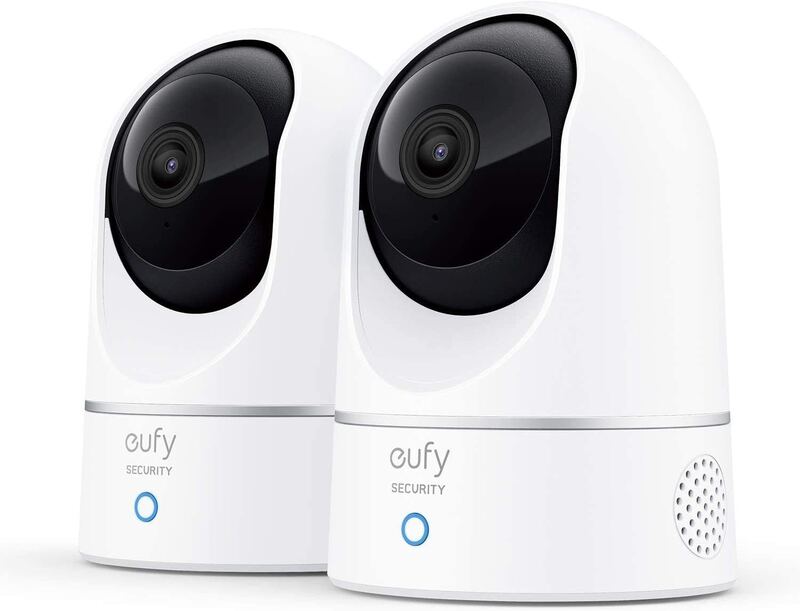
While the Google Nest Indoor Cam (3rd Gen) offers superior 2K resolution and AI integration through Gemini, it's less flexible than the Eufy E220, which supports local SD card storage and Apple HomeKit. Unlike the Arlo Essential Pan Tilt Indoor, it lacks manual pan-tilt control and runs hot during operation.
Rating sources
Counts as 4.24/5 in our score — this publisher's 19 scores on the site average 3.87, so its scores are adjusted up to compare fairly with other publishers.
“The 2K HDR resolution (up from 1080p), wider 152° field of view and dual-band Wi-Fi are the most practical upgrades.”
“If you already own the older model, this is probably not a must-have upgrade. But if you're buying your first Nest indoor cam or need another one, and who doesn't, this new one is absolutely the model to get.”
Not in the average — we derived this score from the review's words, and a publisher printed a score for this product, so the printed number counts instead.
Our 4.2 score is the average of 1 of the scored reviews above, each adjusted for how strictly its publisher scores; 1 more reviewed it without printing a score and is not in the average. 1 derived score above is not in the average because a publisher printed a score for this product. Ratings marked * were derived from the reviewer’s written analysis or video transcript — the publisher didn’t print an explicit numeric score, so we inferred one from their own words. Click through to verify. More about methodology.