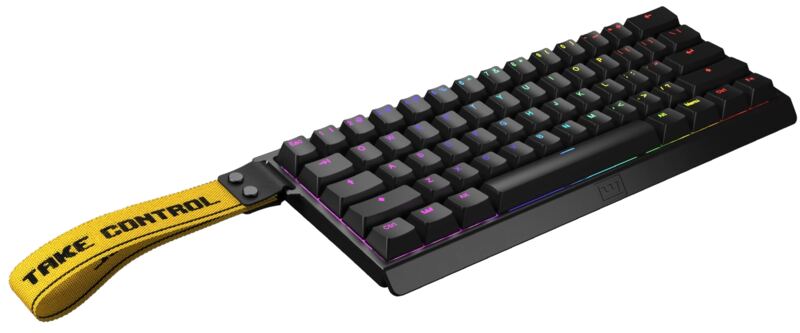
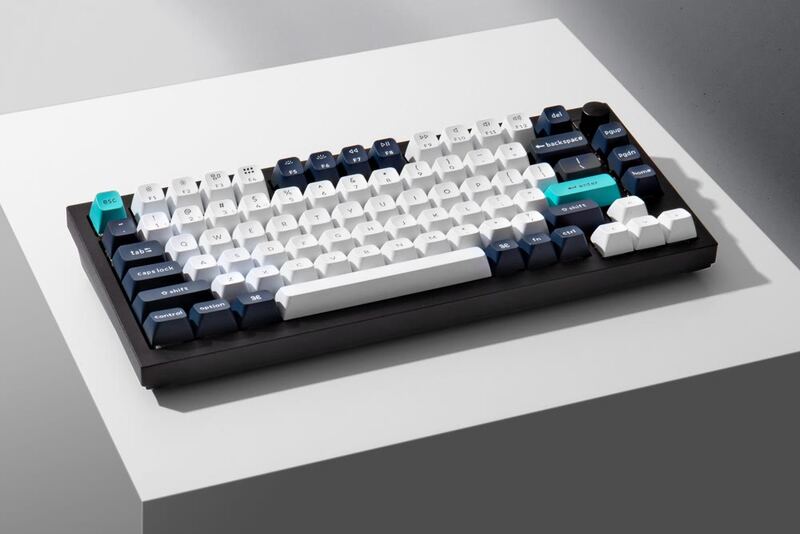
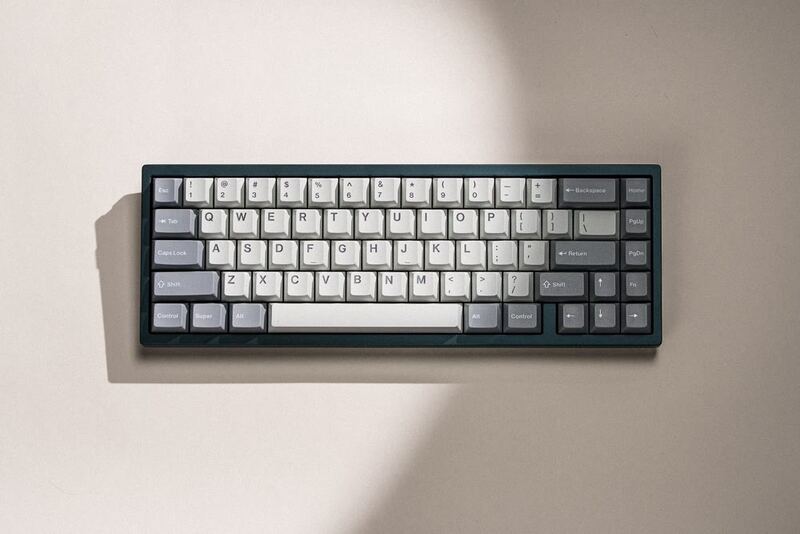
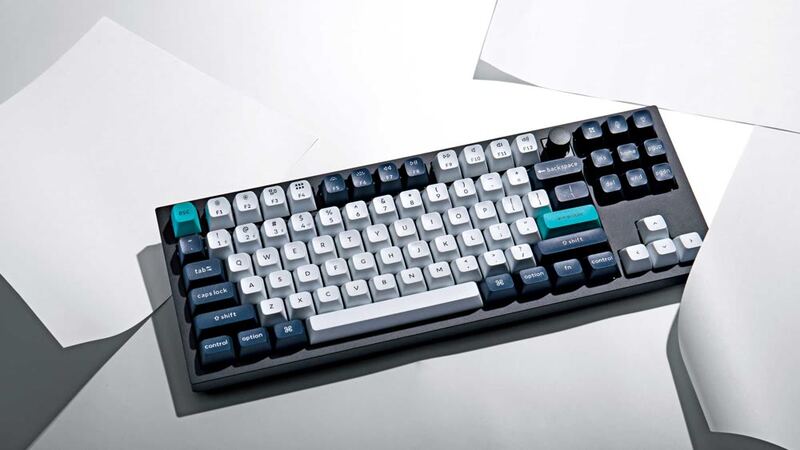
The Drop CTRL V2 is a significant upgrade on the original design, adding hot-swap compatibility, improved hardware, and more programmability. Tom's Hardware praised the sturdy build and magnetic tilt feet, and The Verge called it a great update that puts it in direct competition with Keychron's Q-series. Two catches: the $200 MSRP is prohibitive on a tight budget, and some reviewers found the documentation lacking. It fits buyers who want a premium, customizable mechanical keyboard, and it is not the best value if money is tight.
Full review
Magnetic feet allow a negative typing tilt
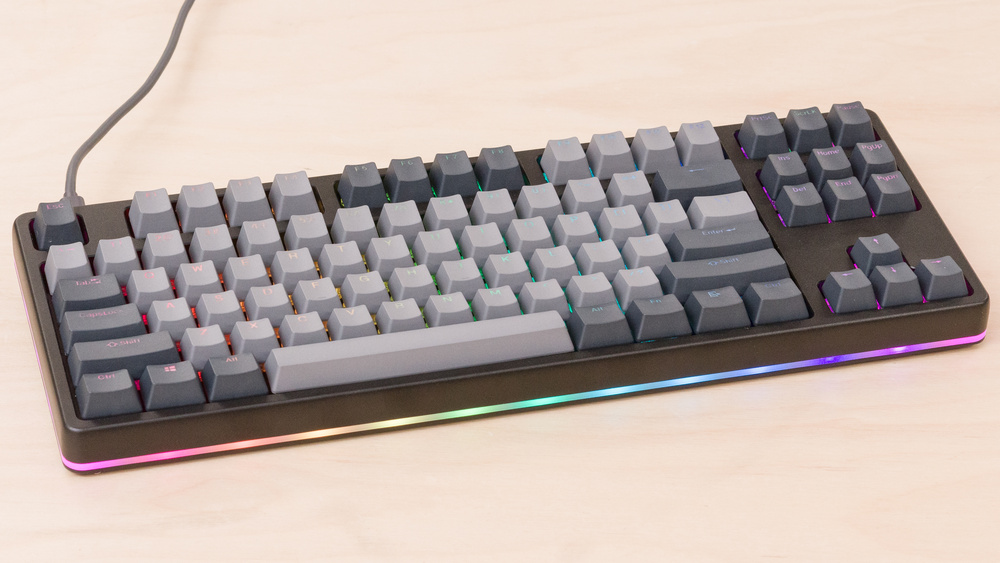
The Drop CTRL V2 maintains the core design philosophy of its predecessor while introducing refined elements that speak to modern user expectations. Tom's Hardware noted that the keyboard's aluminum case is 'sturdy, with very little flex to it,' a quality that contributes significantly to its premium feel. The keyboard's construction is robust enough to withstand daily use without flexing or creaking, which is particularly important for a device meant to serve both office professionals and creative users. According to Creative Bloq's Erlingur Einarsson, the build quality is 'built like a tank, heavy like a tank,' a phrase that accurately captures the density and durability of the unit. The keyboard features magnetic feet that allow users to adjust the typing angle to six degrees, with the option to remove them entirely for a flat surface or even achieve a 'negative tilt.' This flexibility in positioning is a standout feature, especially for users who prioritize ergonomic typing comfort. The V2's design also includes a low-profile case option, which, as The Verge's Jon Porter notes, 'effectively conceals the switches inside of the case rather than leaving them exposed.' This design choice caters to users who prefer a cleaner aesthetic while still maintaining the hot-swap functionality that Drop is known for.
Typing Experience and Switch Compatibility
The keyboard supports hot-swap switches, with compatibility extended to a wider variety of switch types compared to the original model, as noted by The Verge. However, GamesRadar+ reviewer Tabitha Baker criticized the keyboard for its 'heavier switch feel with Speed Silvers,' suggesting that while the switches are functional, they may not offer the crisp response expected from more modern alternatives. The CTRL V2 is available with either tactile Holy Panda X Clear or linear Gateron Yellow switches, with the latter offering a smoother, quieter typing experience. The keyboard's keycaps are made from durable PBT plastic with doubleshot lettering, a feature that ensures long-term durability and readability, as confirmed by Creative Bloq. The key spacing and actuation feel are consistent with the expectations of users who value mechanical keyboards for their tactile feedback and typing precision.
Software and Customization Features
Drop's software ecosystem, while functional, has received mixed reviews regarding usability and documentation. The Verge's Jon Porter highlighted that the keyboard is 'QMK-programmable' and offers 'more programmability options,' which is a significant advantage for users who want to customize their keyboard layouts and key mappings. However, the software's documentation, as noted by The Verge, 'could be better,' which could be a barrier for less tech-savvy users. Creative Bloq's Erlingur Einarsson praised the software for being 'simple but easy to navigate,' suggesting that while not revolutionary, it is user-friendly enough for most users. GamesRadar+ reviewer Tabitha Baker, on the other hand, pointed out that the keyboard lacks 'macro support or RGB customization,' which are features that many users expect from a modern mechanical keyboard. The CTRL V2 supports up to 8 layers of key mapping, a feature that enhances its utility for professionals who rely on complex keyboard shortcuts. Despite these limitations, the software's simplicity and the keyboard's hot-swap capability make it a strong contender for users who value customization without the complexity of advanced programming.
Performance and Technical Specifications
The keyboard's USB-C connection supports passthrough functionality, allowing users to connect additional devices without needing to plug them directly into the keyboard. This feature is particularly useful for users who need to connect multiple peripherals, such as mice or external drives, and is a welcome addition in a keyboard that's designed for productivity. The keyboard's latency at 120Hz was measured at 8.3ms, which is acceptable for most users but falls short of the 1ms latency that competitive gamers often demand. Despite these limitations, the keyboard's overall performance is solid, and its build quality ensures that it can handle extended use without significant degradation in function.
Market Position and Value Proposition
The Drop CTRL V2 is positioned as a premium mechanical keyboard that bridges the gap between entry-level and high-end offerings. At $200 for the fully assembled version, it sits squarely in the mid-range market, competing directly with models like the Keychron Q-series, which are praised for their reliability and feature sets. GamesRadar+ reviewer Tabitha Baker noted that the keyboard is 'a solid deck in its own right' but 'definitely one to pick up during sales,' indicating that while it offers good value, its price point may not be justified for users who don't prioritize its unique features. The Verge's Jon Porter emphasized that Drop has 'its work cut out if it wants to compete with a company firing on all cylinders,' referring to Keychron's strong market presence and product innovation. Despite the competition, the CTRL V2's hot-swap functionality, customizable RGB lighting, and ergonomic design make it a strong choice for users who value these features. The keyboard's versatility in terms of switch compatibility and layout options also adds to its appeal, particularly for users who want to experiment with different switch types without the need for soldering.
LEDs can buzz, and there's no numpad
Despite its many strengths, the Drop CTRL V2 is not without its shortcomings. The most significant criticism comes from GamesRadar+, which noted the lack of macro support and RGB customization, features that are standard in many competing keyboards. Additionally, the keyboard's price point of $200 is relatively high compared to alternatives that offer more features or better performance. The Verge's Jon Porter also pointed out that the 'LEDs can buzz,' a minor but noticeable issue that could affect the user experience. The keyboard's 'heavier switch feel with Speed Silvers,' as noted by GamesRadar+, may not appeal to all users, particularly those who prefer a lighter, more responsive typing experience. Furthermore, the absence of a numpad, a feature that many users expect in a TKL keyboard, is a notable omission that could be a dealbreaker for some. The keyboard's software documentation, while functional, is criticized for being less than ideal, which could hinder users who are new to custom keyboards or want to fully utilize its customization options.
Aimed at office professionals, not competitive gamers
The Drop CTRL V2 is best suited for users who value hot-swap functionality, ergonomic design, and a balance of performance and aesthetics. It's particularly appealing to office professionals and creatives who want a high-quality mechanical keyboard without the complexity of advanced programming. According to Creative Bloq, the keyboard is 'a premium mechanical keyboard aimed at office pros and creatives,' and its understated design makes it suitable for both home and office environments. The keyboard's customizable RGB lighting and multiple switch options also make it a good choice for users who want to personalize their typing experience. However, it may not be the best choice for competitive gamers who require ultra-low latency or for users who need macro support and extensive RGB customization. The keyboard's price point and build quality make it ideal for users who are willing to invest in a premium product and who value the convenience of hot-swappable switches without the need for soldering. It's also a strong contender for users who are new to mechanical keyboards and want a reliable, well-built entry point into the world of custom keyboards.
Strengths
- +Hot-swap sockets compatible with a wider variety of switches
- +Upgraded hardware that improves sound and typing feel
- +Sturdy aluminum construction with magnetic tilt feet
- +QMK-programmable with extensive customization options
Watch-outs
- −Pricey at $200 fully assembled, competing directly with Keychron
- −Documentation could be better for setup and customization
How it compares
The Drop CTRL V2 offers superior hardware upgrades and magnetic tilt feet compared to the Keychron Q1 Max, but it lacks the aluminum construction and hot-swap sockets of the Keychron Q1 HE. Unlike the NuPhy Air75 V2, it provides more switch options and better documentation, though it's more expensive than the Royal Kludge RK84, making it a premium choice for those who value performance over cost.
Rating sources
“Heavier switch feel with Speed Silvers”
Our 3.2 score is the average of these published ratings. More about methodology.