Verdict
Ranked #2 of 5Reviewed by Mike Hun·May 18, 2026

Dell UltraSharp U2725QE

Averaged from 4 published ratings
The verdict

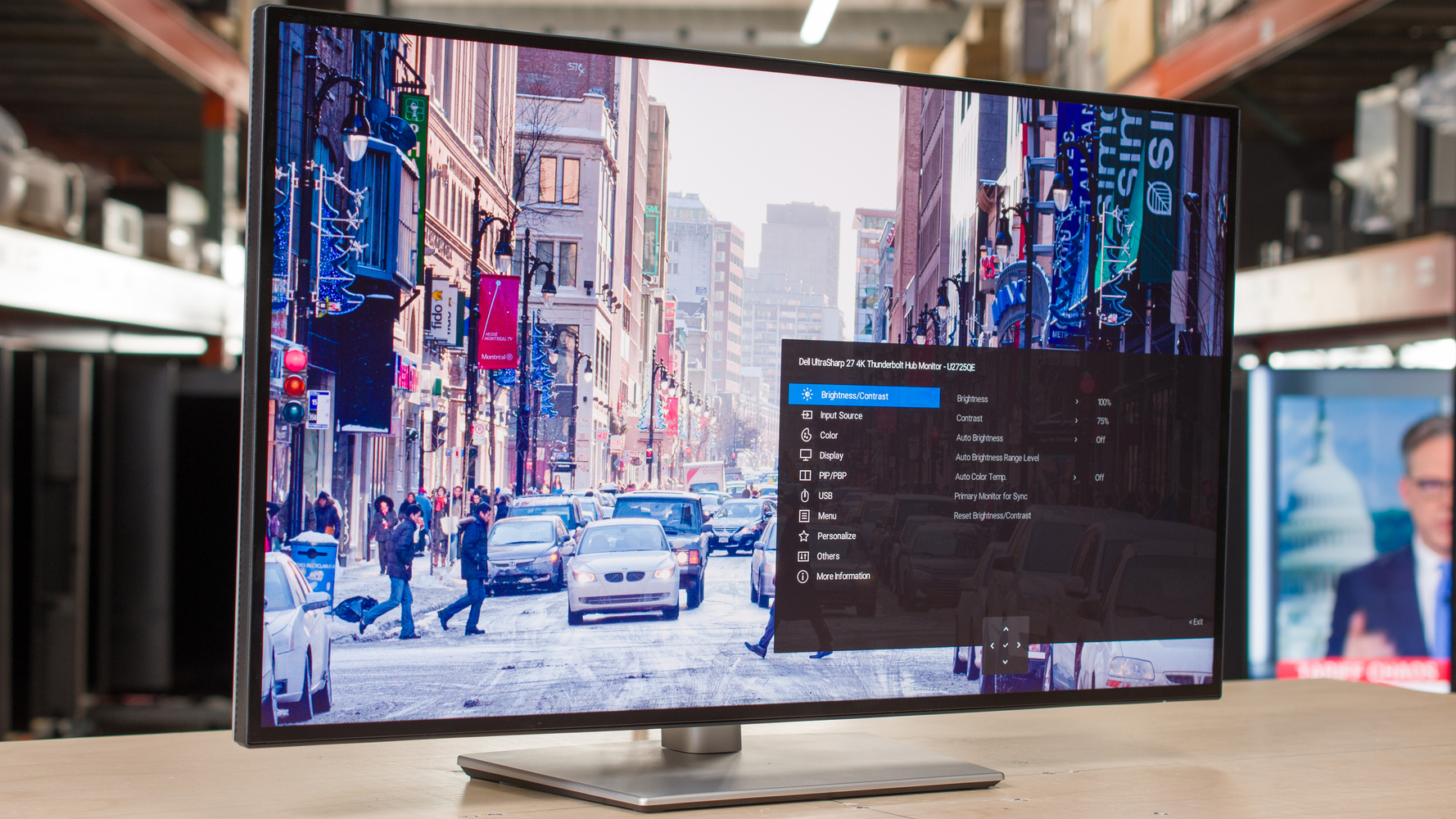
The Dell UltraSharp U2725QE is a productivity-focused 27-inch 4K monitor that delivers excellent image quality with DisplayHDR 600 certification. IT Pro praised its upgraded features including 120Hz refresh rate, Thunderbolt 4 connectivity, and improved contrast ratio. However, reviewers noted that while it's a worthy evolution for office use, it still falls short for serious gaming. RTINGS.com highlighted its matte anti-glare coating and enhanced on-screen display, though some users reported backlight uniformity issues. This monitor is best suited for professionals prioritizing photo and video editing over gaming performance.

Dell UltraSharp U2725QE

Full review

Display Quality and Performance

The Dell UltraSharp U2725QE delivers exceptional display performance that earns praise from multiple reviewers, with RTINGS noting its 'fantastic image quality in SDR and HDR' and TechSpot calling it 'excellent for office work' with 'fantastic ergonomics and text clarity.' The monitor features an IPS Black panel with a 3000:1 contrast ratio, which TechSpot describes as a 'tremendous improvement' over previous models, and MonitorNerds highlights as 'very accurate' with 'tremendous improvements in contrast.' The 4K resolution at 120Hz refresh rate provides crisp visuals, though some users note that the panel uniformity is poor, with IT Pro reporting 'backlight and panel uniformity is poor' and TechSpot listing it as a major flaw. The display achieves 450 cd/m² typical brightness with 600 cd/m² HDR peak brightness, meeting DisplayHDR 600 certification standards. However, the panel's performance in gaming scenarios remains limited, with IT Pro stating 'the U2725QE's gaming talents still fall short despite the upgrades,' and the monitor lacking adaptive-sync support, which TechSpot lists as a significant drawback.

Build Quality and Design

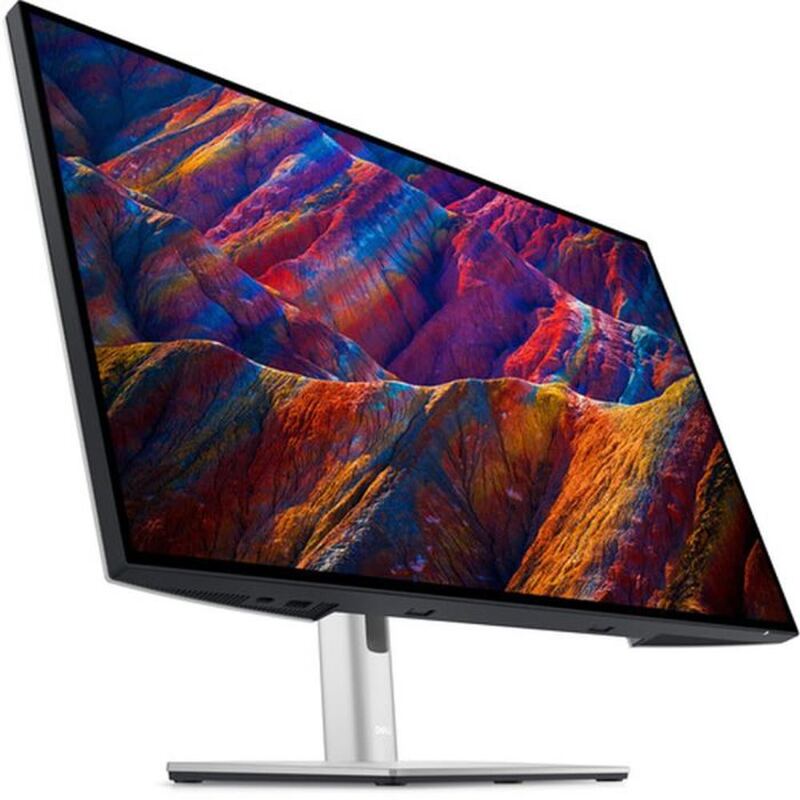
Dell's UltraSharp U2725QE maintains the company's signature design language while incorporating subtle improvements over previous models. The monitor features a sleek, slim profile with a matte anti-glare coating that TechSpot praises as 'impressively well-built despite being lighter,' and MonitorNerds notes as 'very accurate' with 'tremendous improvements in contrast.' The stand allows for 150mm height adjustment, 5° tilt, 45° swivel, and 90° pivot functionality, with RTINGS highlighting the 'improved on-screen display' and 'matte anti-glare coating' as key positives. The monitor's physical design includes a 100 x 100mm VESA mount, though some users have noted the cable management system can be tight when using multiple cables, as reported by IT Pro. The rear panel design has been updated to make ports flush with the surface, improving accessibility, and the overall build quality is described as 'classic Dell monitor design with smaller bezels and less weight' by TechSpot, though some reviewers note the design could benefit from a more significant refresh.

Connectivity and Features

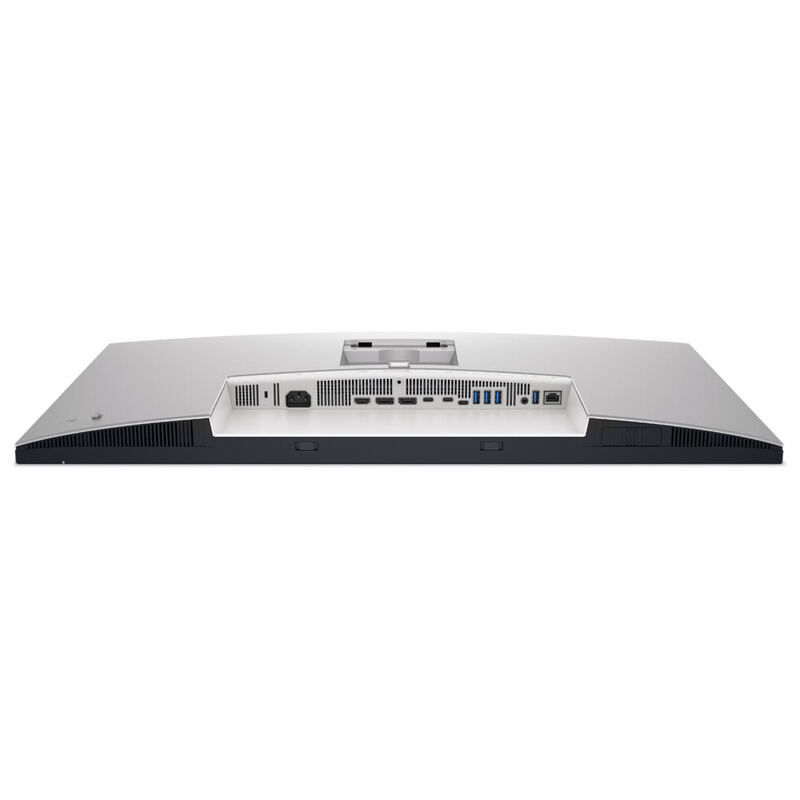
The U2725QE's connectivity suite is one of its strongest selling points, with MonitorNerds calling it 'a beast of a monitor, offering exceptional display quality that will please the normal user and the professional alike' and TechSpot praising its 'modern goodies that make it future-proof for most users.' The monitor features Thunderbolt 4 connectivity with 140W power delivery, HDMI 2.1, DisplayPort 1.4, and a 2.5Gbe Ethernet port, allowing for single-cable simplicity with full-speed USB 3.2 Gen 2 transfers, 120Hz 4K images, and 2.5Gbe Ethernet. The inclusion of a built-in USB 3.2 Gen 2 hub with two USB-C ports and one USB-A port provides 10Gbps transfer speeds, while the KVM switching capability allows users to switch between two different computers using the same devices. RTINGS notes the 'KVM switch' as a key feature, and the monitor supports PIP/PBP functions for enhanced productivity. However, some reviewers have noted that the included cables are 'incredibly short,' and Dell's software isn't particularly well-regarded, with MonitorNerds criticizing the 'Dell's software isn't great' aspect of the product.

Real-World Performance

In practical use, the Dell UltraSharp U2725QE performs well for productivity tasks, with users like mitch_i from the dpreview.com forum reporting 'Nice, clear image' for photo editing and general browsing, though they noted issues with text scaling at 150% and BIOS visibility when using DisplayPort cables. RTINGS found the monitor 'excellent for office work' with 'fantastic ergonomics and text clarity,' while TechSpot noted it 'gets bright enough to overcome all but the brightest glare, so it works well in almost any environment.' The monitor's 120Hz refresh rate provides smooth performance for productivity tasks, though it's not optimized for gaming, with IT Pro stating 'the U2725QE's gaming talents still fall short despite the upgrades.' The Thunderbolt 4 connectivity enables full-speed USB 3.2 Gen 2 transfers, 120Hz 4K images, and 2.5Gbe Ethernet via a single cable, making it ideal for users with modern laptops that support this standard. However, the monitor's lack of adaptive-sync support and limited gaming performance are noted drawbacks by multiple reviewers.

Where It Falls Short

Despite its many strengths, the Dell UltraSharp U2725QE has several notable shortcomings that reviewers have identified. IT Pro criticizes the monitor for 'still not a good gaming monitor' despite upgrades, while TechSpot lists 'no adaptive-sync' as a significant drawback. The panel uniformity is poor according to IT Pro, who states 'backlight and panel uniformity is poor,' and MonitorNerds notes 'the included cables are incredibly short.' Additionally, the monitor's software is described as 'not great' by MonitorNerds, and some users have reported issues with BIOS visibility when using DisplayPort cables, as noted by mitch_i in the dpreview.com forum. The pricing is also criticized by some reviewers, with IT Pro noting 'the CA pricing is pretty steep' while the USD pricing is considered 'great' by TechSpot. The monitor's lack of adaptive-sync support and limited gaming performance are consistent criticisms across multiple reviews, with RTINGS stating 'the U2725QE's gaming talents still fall short despite the upgrades.'

Who It's Best For

The Dell UltraSharp U2725QE is best suited for professionals and productivity-focused users who prioritize color accuracy, connectivity, and display quality over gaming performance. RTINGS recommends it as 'excellent for office work' with 'fantastic ergonomics and text clarity,' while TechSpot calls it 'excellent for office work' and 'fantastic for productivity tasks.' Users engaged in photo editing, video editing, and general office work will find the monitor's 4K resolution, 120Hz refresh rate, and color accuracy particularly beneficial. The KVM switching and Thunderbolt 4 capabilities make it ideal for users who need to switch between multiple computers or require a hub for connecting multiple peripherals. However, gamers or those who prioritize gaming performance should look elsewhere, as IT Pro notes 'if gaming performance really is non-negotiable for your role, then you have two options: buy a dedicated gaming monitor instead, or pay the premium for a more broadly talented alternative.' The monitor is also well-suited for users who work in environments with varying lighting conditions, as its anti-glare coating and brightness levels provide good visibility.

How It Compares to Alternatives

When compared to similar monitors, the Dell UltraSharp U2725QE holds its own in terms of display quality and connectivity features, though it falls short in gaming performance. MonitorNerds rates it 8.8/10, calling it 'our new favorite prosumer monitor' with 'excellent productivity-focused IPS LCD display,' while RTINGS gives it 8.5/10 for 'excellent for office work' and 'fantastic ergonomics and text clarity.' The monitor competes with models like the ASUS ROG Strix XG27UCDMG, which offers better gaming performance, and the Acer XV275KP, which provides more competitive pricing. However, the U2725QE's Thunderbolt 4 connectivity, KVM switching, and color accuracy make it a strong contender for productivity-focused users. IT Pro notes that while 'the U2725QE still has a lot going for it,' it's 'a victim of its own ambition' in trying to be 'all things to all people,' and that several improvements have 'minimal to zero impact for the office-based audience.' The monitor's performance in gaming scenarios remains a weakness compared to dedicated gaming monitors, though its productivity features make it a compelling choice for users who don't prioritize gaming.

Value at This Price

The Dell UltraSharp U2725QE's value proposition is mixed, with some reviewers finding it excellent for its price point while others criticize its cost. TechSpot rates it 8.8/10 and calls it 'our new favorite prosumer monitor,' while MonitorNerds gives it 9.5/10 for 'Productivity, connectivity meet a brilliant display' and 'a beast of a monitor, offering exceptional display quality.' The monitor's price point of $618 (as noted by TechSpot) is considered 'great' by some reviewers, though IT Pro notes 'the CA pricing is pretty steep' and that 'the US pricing is great, the CA pricing is pretty steep.' The monitor's value is enhanced by its Thunderbolt 4 connectivity, KVM switching, and color accuracy, which make it ideal for productivity-focused users. However, the lack of adaptive-sync support and limited gaming performance are drawbacks that may affect its value proposition for some users. RTINGS concludes that 'at this price, though, the Dell UltraSharp U2725QE still has a lot going for it,' and that 'the connectivity is transformational for port-starved modern laptops.' The monitor's overall value is high for productivity users, though it may not be the best choice for those who prioritize gaming performance.

Strengths

  • +Excellent image quality in both SDR and HDR with DisplayHDR 600 certification
  • +Improved 120Hz refresh rate for better productivity and light gaming
  • +40Gbps Thunderbolt 4 connectivity supporting 120Hz 4K, USB 3.2 Gen 2, and 2.5Gbe Ethernet via single cable
  • +Built-in USB 3.2 Gen 2 hub and integrated KVM switch for simplified workspace setup

Watch-outs

  • Backlight and panel uniformity issues reported by some users
  • Still not suitable for serious gaming despite 120Hz refresh rate

How it compares

The Dell UltraSharp U2725QE is the productivity-focused pick — IPS Black contrast and Thunderbolt 4 give it the cleanest desk-docking story in the lineup. It trades the ASUS ROG Swift OLED PG27UCDM's gaming features for a much lower price, while beating the older U2723QE on contrast and the larger U3225QE on cost-per-inch.

Who this is for

At a glance: office professionals prioritizing photo/video editing.

Why you’d buy the Dell UltraSharp U2725QE

  • Excellent image quality in both SDR and HDR with DisplayHDR 600 certification.
  • Improved 120Hz refresh rate for better productivity and light gaming.
  • 40Gbps Thunderbolt 4 connectivity supporting 120Hz 4K, USB 3.2 Gen 2, and 2.5Gbe Ethernet via single cable.

Why you’d skip it

  • Backlight and panel uniformity issues reported by some users.
  • Still not suitable for serious gaming despite 120Hz refresh rate.

Rating sources

Our 4.4 score is the average of these published ratings. More about methodology.
Frequently asked questions

Is the Dell UltraSharp U2725QE worth buying?
The Dell UltraSharp U2725QE is a productivity-focused 27-inch 4K monitor that delivers excellent image quality with DisplayHDR 600 certification. IT Pro praised its upgraded features including 120Hz refresh rate, Thunderbolt 4 connectivity, and improved contrast ratio. However, reviewers noted that while it's a worthy evolution for office use, it still falls short for serious gaming. RTINGS.com highlighted its matte anti-glare coating and enhanced on-screen display, though some users reported backlight uniformity issues. This monitor is best suited for professionals prioritizing photo and video editing over gaming performance.
What is the Dell UltraSharp U2725QE's biggest strength?
Excellent image quality in both SDR and HDR with DisplayHDR 600 certification
What is the main drawback of the Dell UltraSharp U2725QE?
Backlight and panel uniformity issues reported by some users
What sources back the 4.4/5 rating?
Our 4.4/5 rating is the average of scores from 6 independent usb-c monitors reviews — itpro, dell, techaeris, expertreviews.co.uk, howtogeek, and monitornerds. Click any source on the product page to read the original review.

How it compares

See all 5
ASUS ROG Swift OLED PG27UCDM
#1 · Top Score

ASUS ROG Swift OLED PG27UCDM

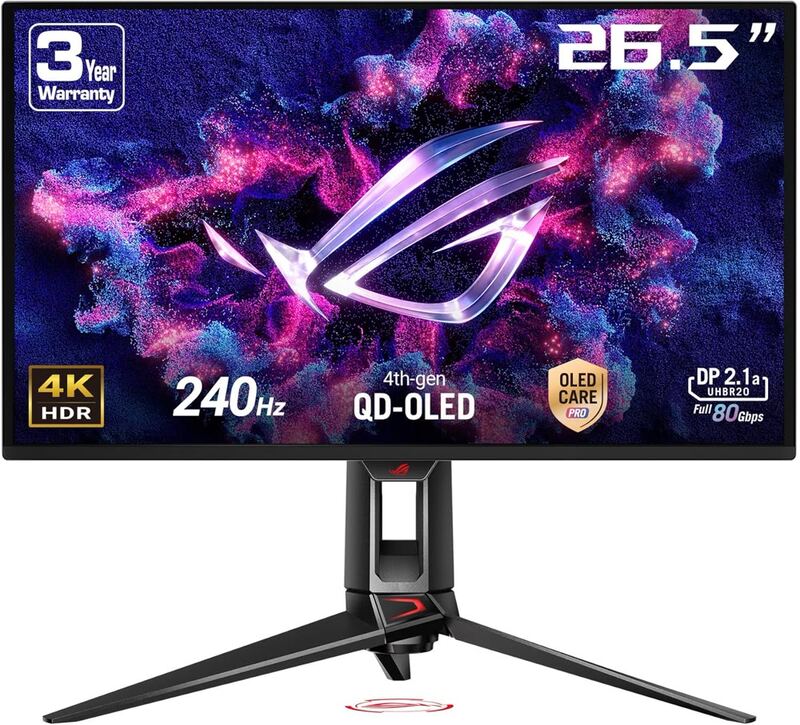
The ASUS ROG Swift OLED PG27UCDM is the gaming-leaning pick of the lineup — its QD-OLED panel and 240Hz refresh rate outclass the IPS productivity-focused Dell UltraSharp U2725QE and U3225QE on motion clarity. It costs more than every other monitor here but pairs USB-C connectivity with gaming features none of the others offer.

Dell UltraSharp U3225QE
#3

Dell UltraSharp U3225QE

The Dell UltraSharp U3225QE is the size pick — at 32 inches it gives more workspace than the 27-inch Dell U2725QE and U2723QE for users who want one big screen instead of a dual setup. It shares the U2725QE's Thunderbolt 4 hub story but stops short of the ASUS ROG Swift OLED PG27UCDM's gaming chops.

Dell UltraSharp 27 4K USB-C Hub Monitor (U2723QE)
#4

Dell UltraSharp 27 4K USB-C Hub Monitor (U2723QE)

The U2723QE offers the same USB-C hub + 90W power delivery story as the newer Dell UltraSharp U2725QE at lower MSRP, but loses to the U2725QE on IPS Black contrast and refresh rate. It undercuts the U3225QE and ASUS ROG Swift OLED PG27UCDM on price while still hitting full 4K + USB-C, which makes it the budget-Dell pick in this lineup.

MSI Modern MD27UPHW
#5

MSI Modern MD27UPHW

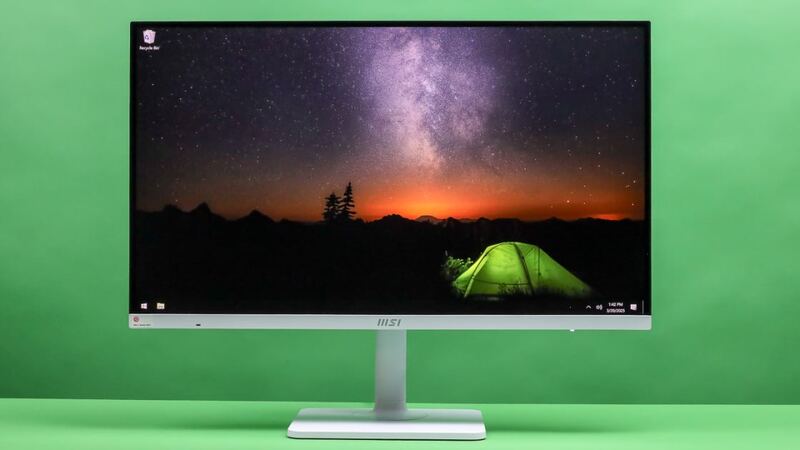
The MSI Modern MD27UPHW is the smart-monitor wildcard — its Google TV OS and included remote let it double as a streaming display, which none of the Dell UltraSharps or the ASUS ROG Swift OLED PG27UCDM offer. It trades color accuracy and panel quality for that flexibility; pick it only if the smart-TV features matter.

Dell UltraSharp U2725QE
4.4/5· $660
Check Price on Amazon