The Brother MFC-L2900DW XL is a black-and-white laser all-in-one built for small businesses and home offices. PCMag's M. David Stone praised the fast printing speed and the duplex capabilities. Lifewire's Jerri Ledford found it effective for scanning and faxing but louder than she expected. It connects over wireless or Ethernet and works with the major cloud services. Reliable black-and-white printing and scanning is what you get; color output and quiet operation are not.
Full review
First page out in under seven seconds
The Brother MFC-L2900DW XL delivers impressive print speeds for a monochrome laser printer, achieving 36 pages per minute for text documents according to PCMag's testing. Lifewire's Jerri Ledford noted that the printer's processing speed exceeded expectations compared to other Brother models she's tested, particularly for document preparation. Digital Trends' Alan Truly clocked the first page out at under seven seconds and rates the printer at 36 pages per minute for long documents, among the fastest he has reviewed. The printer's ability to handle long documents efficiently makes it suitable for busy small offices or home offices with high-volume printing needs. The MFC-L2900DW also supports duplex printing for both printing and scanning, which adds convenience for users who frequently need double-sided documents.
Digital Trends reviewer Alan Truly highlighted the printer's quick first-page out speed and rapid long-document printing, though he noted some banding in graphics and photos. The printer's performance in real-world scenarios shows it's well-suited for text-heavy workflows. However, PCMag's M. David Stone pointed out that while the printer excels in speed, its graphical print quality is less impressive, particularly when compared to color laser printers in the same price range. The printer's ability to scan both sides of a document simultaneously via its 50-sheet automatic document feeder (ADF) adds to its utility for document-heavy environments.
No option to add a second paper tray
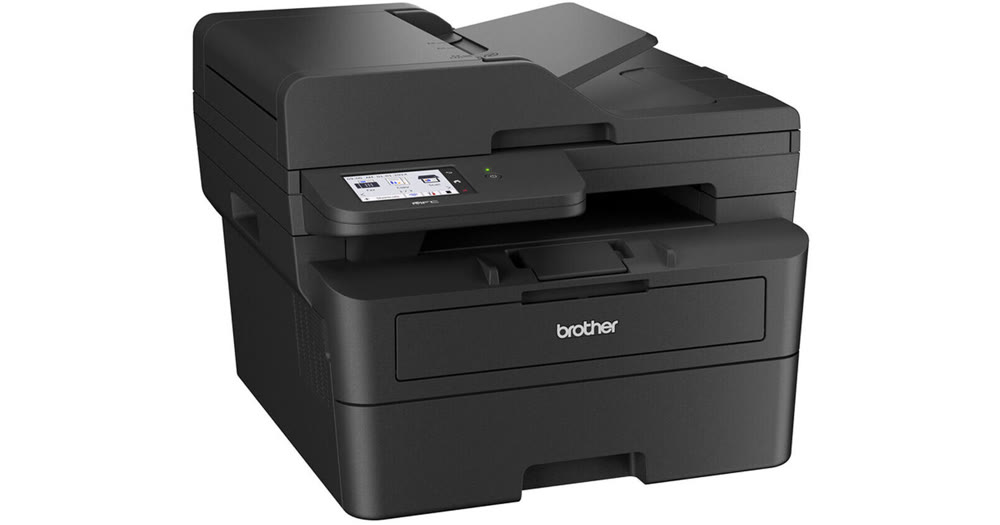
The Brother MFC-L2900DW XL is compact enough for small office spaces: PCMag's M. David Stone measured it at 28.1 pounds and 12.5 by 16.1 by 16.6 inches and judged it small enough to consider sharing a desk with. The build is solid, with a 250-sheet drawer and a single-sheet manual feed, though PCMag notes Brother offers no optional add-on trays for this model. The device is lightweight and manageable, making it easy to move if needed, and it can be easily lifted by a reasonably fit person. The printer's 3.5-inch color touchscreen display is functional, and the menu system is simple and user-friendly. PCMag's M. David Stone emphasized that the printer's design is straightforward and functional, with a focus on ease of use rather than aesthetic appeal.
Lifewire's Jerri Ledford praised the printer's ease of setup, noting that scanning a code on the top of the device initiates the installation process. The printer supports wireless and mobile printing, as well as Ethernet capabilities, making it versatile for different office environments. The MFC-L2900DW also includes 18 customizable shortcuts for quick scanning and sending, which Lifewire's reviewer found particularly useful for scanning to email. However, the printer's noise level was a point of criticism, with Lifewire noting that it's louder than expected, even when the volume is lowered to the minimum.
Scanner and Fax Capabilities
The MFC-L2900DW XL includes a full-color scanner with a 50-sheet automatic document feeder (ADF) and a flatbed scanner, both capable of duplex scanning. PCMag confirmed that the single-pass duplexing works for scanning, copying and faxing, which is not true of every duplexing all-in-one. Lifewire's Jerri Ledford noted that the scanner quality is good, with up to 1200 DPI in the flatbed and 600 DPI using the automatic document feeder, which is sufficient for most business needs, including scanning artwork for printing. The printer also includes fax capabilities, which, while less common today, is still functional and included in the all-in-one package. The scanner's compatibility with major cloud services such as OneDrive, Google Drive, Dropbox, and Evernote adds to its versatility, allowing users to scan directly to these platforms.
Digital Trends' Alan Truly emphasized that the printer's ADF can scan both sides of a page at once, which is a significant advantage for document-heavy environments. The inclusion of 18 customizable shortcuts for quick scanning and sending makes the device particularly user-friendly for those who frequently scan documents. However, PCMag's M. David Stone noted that while the scanner is functional, it's not the most advanced in its class, and the printer's focus on monochrome output means it lacks color scanning capabilities. The fax feature, while present, is not highlighted as a standout feature, suggesting that users who rely heavily on faxing may want to consider alternative options.
Software and Connectivity
The Brother MFC-L2900DW XL supports a range of connectivity options, including wireless and Ethernet, with support for 5GHz Wi-Fi protocols that can improve stability and transfer speeds. PCMag's M. David Stone found downloading and installing the driver and utilities straightforward, with a mostly automated routine that asks whether to use Wi-Fi or a wired connection. The printer also supports mobile printing and scanning through Brother's iPrint&Scan app, which allows users to access main functions from mobile devices. Lifewire's Jerri Ledford recommended that Mac users skip the Brother app and instead add the printer through the standard macOS Printers & Scanners settings, which she found to be easier.
PCMag's M. David Stone emphasized that the printer's software is user-friendly, though he noted that the printer's lack of a USB host port for walk-up prints and scans could be an issue for users who need to print sensitive documents. The MFC-L2900DW's compatibility with various cloud services, including OneDrive, Google Drive, Dropbox, and Evernote, allows for seamless integration into modern workflows. The printer also includes 18 customizable shortcuts that make it easy to scan and send documents in one touch, which Lifewire's reviewer found particularly useful for scanning to email.
Scans directly to OneDrive, Dropbox, and Google Drive
Reviewers consistently praised the MFC-L2900DW XL's speed and efficiency, with PCMag's M. David Stone noting its impressive 36ppm print speed for text documents. Lifewire's Jerri Ledford highlighted the printer's ease of setup, particularly the ability to scan a code on the top of the device to initiate installation, and noted that the printer's ability to process documents quickly exceeds expectations compared to other Brother models. The printer's compatibility with major cloud services such as OneDrive, Google Drive, Dropbox, and Evernote was also a significant positive, with Lifewire's reviewer appreciating the ability to scan directly to these platforms. The inclusion of 18 customizable shortcuts for quick scanning and sending was also noted as a valuable feature, particularly for users who frequently scan documents.
Digital Trends' Alan Truly emphasized the printer's quick first-page out speed and rapid long-document printing, which he found particularly useful for text-heavy workflows. The printer's ability to scan both sides of a page at once via its 50-sheet ADF was also highlighted as a significant advantage. The MFC-L2900DW's lightweight and manageable design was another point of praise, with PCMag's M. David Stone noting that most people should be able to unpack it and move it into place without help. The printer's straightforward software installation process was also appreciated, with PCMag describing a mostly automated routine that asks whether to use Wi-Fi or a wired connection. The inclusion of a 3.5-inch color touchscreen display was noted as functional, and the menu system was considered simple and user-friendly.
No USB port for walk-up printing or scanning
The most significant criticism comes from Lifewire's Jerri Ledford, who found the printer to be louder than expected, with the beeping and clicking sounds from the loudspeaker being particularly jarring, even when the volume is lowered to the minimum. The printer's graphical print quality was another point of criticism, with PCMag's M. David Stone noting that while the printer excels in speed, its graphical print quality is less impressive, particularly when compared to color laser printers in the same price range. The lack of a USB host port for walk-up prints and scans was also noted as a potential limitation for users who need to print sensitive documents.
Another major concern raised by reviewers is the printer's limited color capabilities. While the MFC-L2900DW XL is a monochrome laser printer, it lacks color printing capabilities, which may be a dealbreaker for users who require color output. PCMag's M. David Stone noted that the printer's focus on monochrome output means it's not suitable for users who need color printing, though it excels in its intended niche. Additionally, the printer's lack of a USB host port for walk-up prints and scans could be a limitation for users who need to print sensitive documents without network access.
Built for text-heavy home office workflows
The Brother MFC-L2900DW XL is best suited for small businesses and home offices that require fast, reliable monochrome printing and scanning capabilities. PCMag's M. David Stone and Digital Trends' Alan Truly both emphasized that the printer is ideal for text-heavy workflows, with its 36ppm print speed and ability to handle long documents efficiently. Lifewire's Jerri Ledford noted that the printer is particularly useful for users who work from home and need a printer that can keep up with high-volume printing demands. The printer's compatibility with major cloud services and 18 customizable shortcuts make it a good choice for users who frequently scan documents and need quick access to email and other platforms. The inclusion of a 50-sheet automatic document feeder (ADF) and duplex scanning capabilities adds to its utility for document-heavy environments.
However, the printer may not be ideal for users who require color printing capabilities, as it's strictly a monochrome laser printer. The printer's noise level was also a concern for some reviewers, particularly those who work in quieter environments. The lack of a USB host port for walk-up prints and scans could also be a limitation for users who need to print sensitive documents without network access. Therefore, the MFC-L2900DW XL is best suited for users who prioritize speed, reliability, and monochrome printing capabilities over color output and noise considerations.
Around $379.99 for fast mono printing and scanning
At a price point of around $380, the Brother MFC-L2900DW XL offers solid value for money, especially for small businesses and home offices that require fast, reliable monochrome printing. PCMag's M. David Stone made it an Editors' Choice, finding that its 36ppm speed and single-pass duplex scanning justify the price for a micro-to-small office. The inclusion of a 50-sheet automatic document feeder (ADF) and duplex scanning capabilities adds to its value, making it a good choice for users who frequently need to scan and print documents. Lifewire's Jerri Ledford also noted that the printer's compatibility with major cloud services and 18 customizable shortcuts make it a good value for users who frequently scan documents and need quick access to email and other platforms.
However, the printer's graphical print quality and noise level were noted as potential drawbacks that may affect its value proposition for some users. PCMag's M. David Stone found graphics only good enough for most purposes on a mono laser, seeing banding, minor dithering and some posterization in the most demanding gradients. Despite these drawbacks, the MFC-L2900DW XL remains a strong contender in the monochrome laser printer market, particularly for users who prioritize speed and reliability over color output and noise considerations.
Strengths
- +Fast print speed up to 36 pages per minute
- +Includes duplex printing for saving paper
- +Good-quality color scanning up to 1200 DPI
- +Works with major cloud services like Google Drive and Dropbox
Watch-outs
- −Loud operation, including audible beeps during use
- −Setup can be fiddly, especially on Mac systems
How it compares
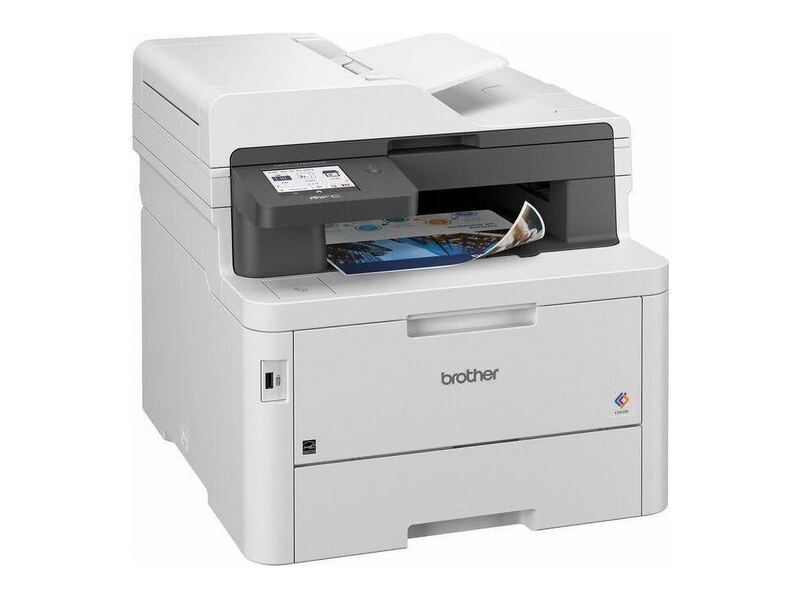
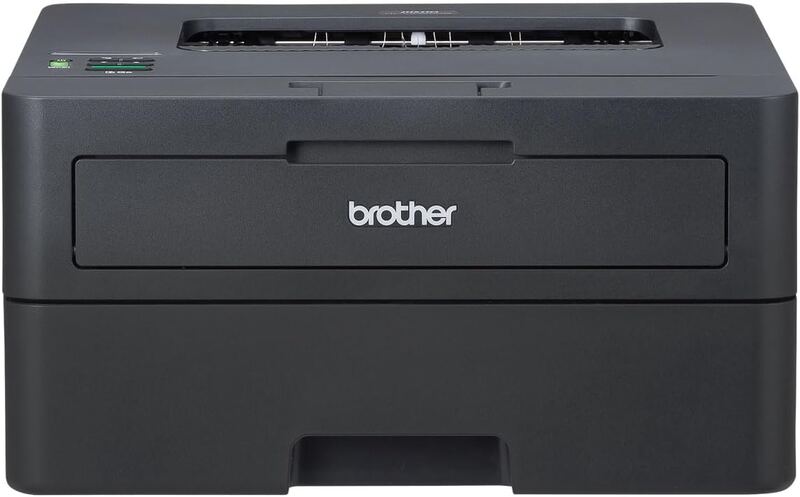
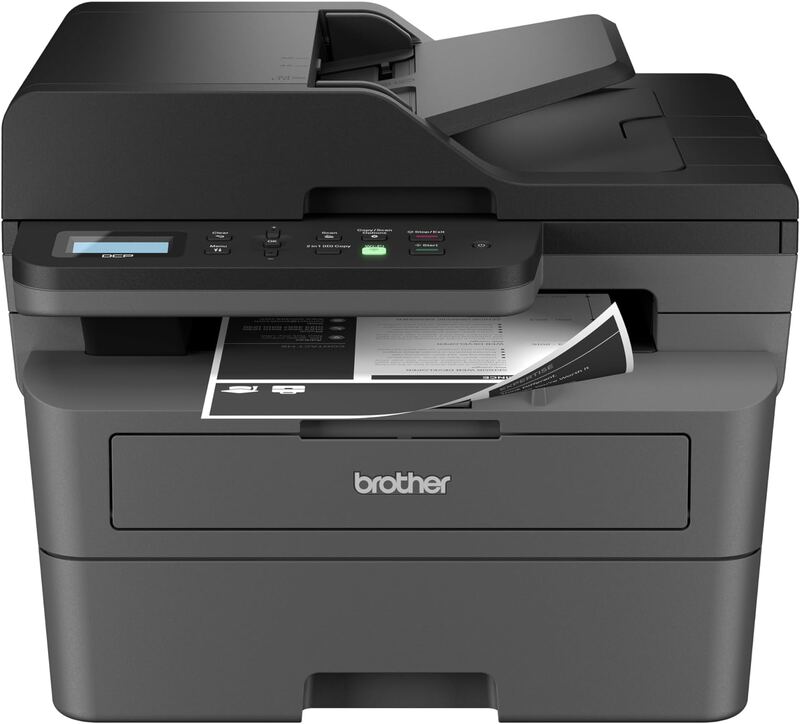
The Brother MFC-L2900DW XL prints black and white at 36 ppm, the same speed as the Brother HL-L2460DW and Brother DCP-L2640DW, and it has fax, which both of those lack. It costs more than either. The Brother MFC-L3780CDW also faxes and prints in color at 31 ppm, and it costs more than the MFC-L2900DW XL.
Rating sources
Counts as 4.16/5 in our score — this publisher's 181 scores on the site average 4.00, so its scores are adjusted up to compare fairly with other publishers.
Counts as 3.57/5 in our score — this publisher's 14 scores on the site average 4.07, so its scores are adjusted up to compare fairly with other publishers.
Our 3.9 score is the average of the 2 scored reviews above, each adjusted for how strictly its publisher scores; 2 more reviewed it without printing a score and are not in the average. More about methodology.