As a PCIe 3.0 x2 NVMe SSD enclosure with a 10 Gbps USB 3.2 Gen 2 interface, the ASUS ROG Strix Arion gets close to the ceiling, transferring at just over 1000 MB/s. TechPowerUp praised the rigid aluminum build and effective heat dissipation, while Reviews Inside noted the RGB lighting adds flair that won't appeal to everyone. Its tool-free design uses a SIM-pin mechanism that works but frustrates frequent SSD swaps. It costs more than competing options, so the premium materials and performance point it at gamers and content creators who value aesthetics and reliability over portability and cost savings.
Full review
SIM-card-style key opens the lid
The ASUS ROG Strix Arion stands out visually with its distinctive aluminum alloy construction and RGB lighting that appeals to fans of the ROG aesthetic. The build quality is robust, with thermal pads pre-installed on the back of the lid and an internal PCB that's wider than typical enclosures. As noted by HWCooling.net, the case uses a unique key-based system for opening the lid, similar to SIM card slots, which works reliably but can be inconvenient for frequent SSD swaps. The enclosure's design includes a protective rubber sleeve and an R-shaped bracket for attaching a keychain, features that distinguish it from standard enclosures. The aluminum construction ensures no flex or bending during use, as confirmed by MGR Gaming, who emphasized the durability and drop resistance of the unit.
1000 MB/s peak with a Samsung 990 Pro
The Strix Arion utilizes the ASMedia ASM2362 USB bridge chip, delivering up to 10 Gbps speeds via USB 3.2 Gen 2 interface. GamingPCBuilder.com reported that the enclosure achieved peak sequential read speeds of approximately 1000 MB/s with a Samsung 990 PRO SSD, which aligns with the expected performance ceiling for USB 3.2 Gen 2 connections. However, performance is capped at 10 Gbps, which is standard for USB 3.2 Gen 2 interfaces. Reviews from HWCooling.net indicate that while the enclosure maintains consistent performance under load, it does not exceed the bandwidth limitations of the USB interface. The ASUS ROG Strix Arion's performance is consistent with other high-end enclosures in the market, though it lacks the 20 Gbps capability found in some competitors.
Thermal Management
Effective thermal management is a standout feature of the Strix Arion, with reviewers like HWCooling.net and MGR Gaming praising its aluminum construction and thermal pad integration. The enclosure's thermal pads are strategically placed to dissipate heat from the SSD, keeping internal temperatures around 45°C under normal usage conditions. According to HWCooling.net, the thermal system is particularly effective for maintaining performance consistency during extended data transfers. However, the case does warm up during sustained use, which is expected with high-performance external SSDs.
RGB Lighting and Customization
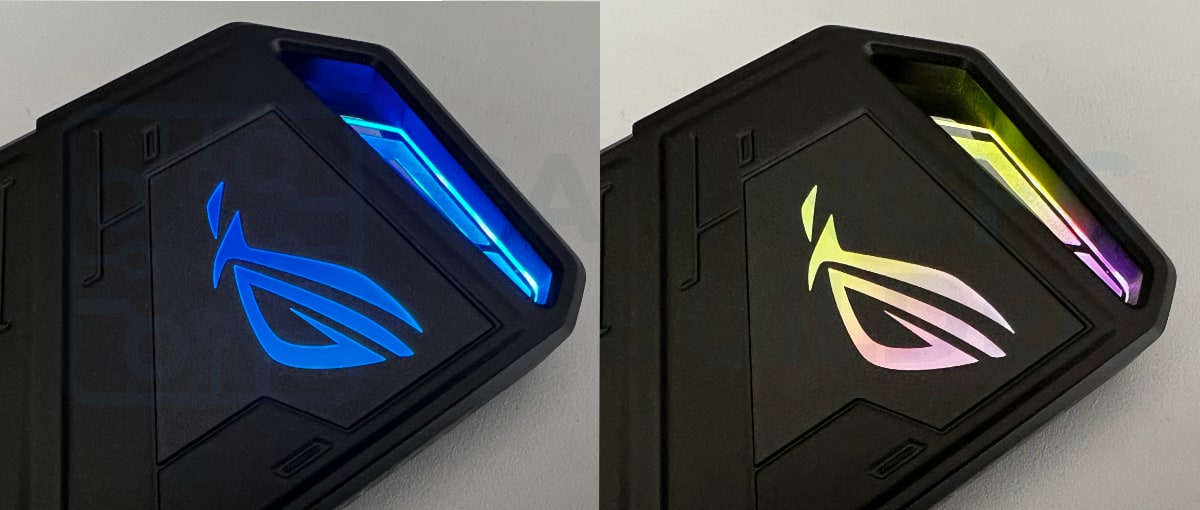
The ASUS Aura Sync RGB lighting system is a prominent feature of the Strix Arion, offering customizable color effects that can synchronize with other Aura-enabled ASUS products. As highlighted by Reviews Inside, the lighting adds a visually striking element to the enclosure, though it may be excessive for users who prefer understated designs. The RGB lighting is controlled through the Armoury Crate app, which must be running in the background to maintain custom settings. This requirement has been noted as a potential drawback by some users, as changes made on one computer do not carry over to others without the app installed. Despite this limitation, the lighting system is praised for its dynamic color changes and the ability to set permanent colors, as described in the official ASUS documentation.
HWCooling.net calls the cooling 'exceptional'
Reviewers consistently praised the Strix Arion's performance, build quality, and thermal management capabilities. MGR Gaming reproduced ASUS's own "unrivalled transfer speed" claim of up to 1050 MB/s, a rating that belongs to the drive-installed S500 bundle it was sent rather than to the bare enclosure. The inclusion of dual USB-C cables and the tool-free installation process were also appreciated. TechPowerUp said the enclosure 'is build extremely well' with 'design details which really make the ROG Strix Arion pop visually,' while HWCooling.net commended its 'exceptional cooling' and 'extraordinary accessories.' HWCooling.net was more equivocal about the lighting, counting the built-in RGB LED among the ROG extras and asking, 'Excessive and annoying? Perhaps, but likely to appeal to the target audience of ROG products.'
RGB lighting requires the Armoury Crate app
The primary criticism involves the pin-based lid mechanism, which GamingPCBuilder.com found inconvenient for frequent SSD swaps. The RGB lighting system, while visually appealing, requires the Armoury Crate app to function properly, limiting its usability for those who don't want to install additional software. Additionally, the enclosure is priced higher than many competitors, making it less accessible for budget-conscious consumers. HWCooling.net tied that price to the interface instead, noting that 'With an enclosure priced at 50 EUR, a faster than 10-gigabit connection would perhaps already be appropriate.' On size its reviewer went the other way, calling the Arion 'a relatively small SSD enclosure' and 'significantly smaller than the cheaper TUF Gaming A1 model,' albeit with an 'above-average weight (100g)'. The lack of SATA support for M.2 drives is another limitation, as mentioned in the GamingPCBuilder review, which excludes users who rely on older SATA-based SSDs.
Best for ROG fans, not frequent drive swappers
The ASUS ROG Strix Arion is best suited for gamers, content creators, and professionals who prioritize performance and aesthetics over cost. It's ideal for users who need fast data transfer speeds and want to maintain consistent performance under load. The RGB lighting and customizable features make it particularly appealing to fans of the ROG brand and those who enjoy personalized hardware setups. However, it's not recommended for users who frequently swap SSDs, as the pin-based lid mechanism can be cumbersome. The enclosure is also not ideal for those on a tight budget, as its premium features come at a higher price point compared to similar alternatives.
Pricier than the Samsung T7 Touch, no RGB
When compared to other SSD enclosures, the ASUS ROG Strix Arion stands out for its superior build quality and thermal management. Unlike many competitors, it features an aluminum alloy construction and pre-installed thermal pads, which are not commonly found in budget enclosures. However, it's priced higher than alternatives like the Samsung T7 Touch, which offers similar performance but lacks the RGB lighting and Aura Sync features. The Strix Arion also compares favorably to the ORICO 20 Gbps M.2 NVMe Enclosure, which offers higher transfer speeds but at a lower price point. As noted by GamingPCBuilder.com, while the Strix Arion is more expensive, it offers a more robust design and better aesthetics. The TUF Gaming A1 model from ASUS is another alternative, but it's less expensive and lacks the RGB lighting and premium accessories found in the Strix Arion.
Strengths
- +Rigid aluminum construction with excellent thermal management via pre-installed thermal pads
- +Supports PCIe 3.0 x2 NVMe SSDs at maximum 10 Gbps transfer speeds
- +Includes both USB-A and USB-C cables for versatile connectivity
- +RGB Aura Sync lighting adds customizable visual appeal for gaming setups
Watch-outs
- −Requires a SIM-tray pin for access, which can be lost and is less convenient for frequent SSD swaps
How it compares
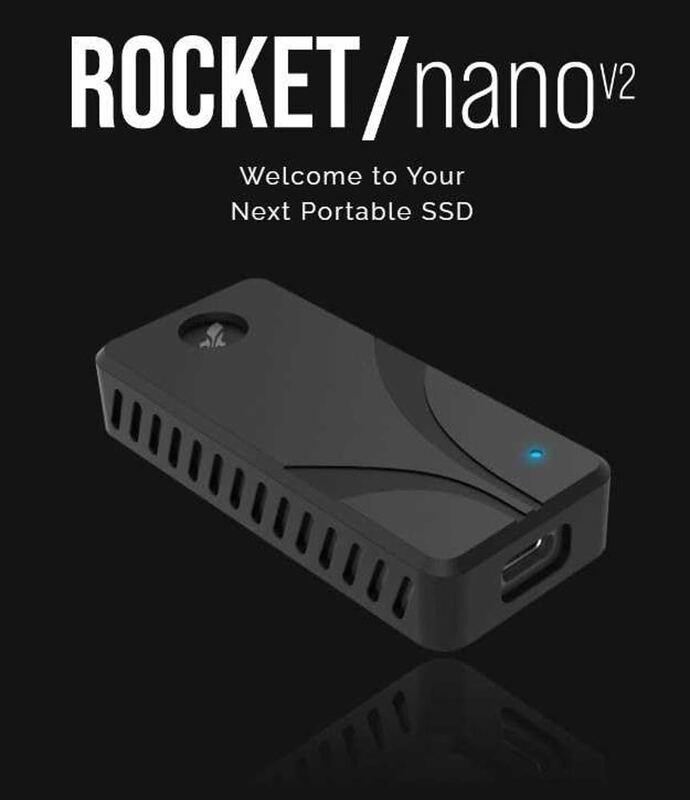
While the Sabrent Rocket Nano V2 provides a compact form factor, the Arion's premium materials and RGB lighting make it stand out for gamers and content creators who value aesthetics and reliability over portability.
Rating sources
“The vast majority of these products are gray or black slabs, so the Asus ROG Strix Arion is almost certain to appeal to anyone looking for a bit more color, perhaps to complement their RGB-lit gaming PC.”
“The Strix Arion, among other things, leads the speed tests, and it does so at an exceptionally low power consumption.”
Not in the average — we derived this score from the review's words, and a publisher printed a score for this product, so the printed number counts instead.
“The enclosure did extremely well, maxing out at 55C for the drive and 53.4C on the external surface of the enclosure.”
Our 4.0 score is the average of 1 of the scored reviews above; 2 more reviewed it without printing a score and are not in the average. 1 derived score above is not in the average because a publisher printed a score for this product. Ratings marked * were derived from the reviewer’s written analysis or video transcript — the publisher didn’t print an explicit numeric score, so we inferred one from their own words. Click through to verify. More about methodology.