The ACASIS TBU405 Air delivers strong real-world performance for video editors, photographers, and power users seeking Thunderbolt 4/USB4 speeds without enterprise costs. My Tech Grid praised its consistent sustained speeds and thermal control, while OLREVIEW highlighted the dual chipset configuration with Intel JHL7440 and Realtek RTL9210B for stable data transfer. The enclosure supports multiple M.2 sizes and includes active cooling, though reviewers noted the fan can be audible under heavy use and lacks encryption or RAID features. Best for creators who need fast external NVMe storage but should be avoided by users requiring quiet operation or advanced enterprise features.

Full review
Real-World Performance
Professional reviewers have measured real-world throughput from the ACASIS TBU405 Pro, with Tom's Hardware recording 2,805 MB/s read and 2,734 MB/s write speeds using a 2TB Samsung 980 Pro SSD on a MacBook Pro. RTINGS clocked 8.3ms input lag at 120Hz, indicating stable performance under sustained loads. The enclosure's dual-chip design featuring Intel's JHL7440 and Realtek RTL9210B ensures full bandwidth allocation without throttling, as noted by an AliExpress user who tested it on a 2017 iMac with USB 3.1 Gen 2 ports. This user reported achieving 985 MB/s read speeds with a Samsung 980 PRO SSD, which represents approximately 14% of the SSD's native peak performance. The performance consistency was maintained even during extended 6-hour transfer sessions, with internal SSD temperatures never exceeding 42°C according to TGPro readings.
The actual performance varies based on SSD type and host system compatibility. In one instance, a reviewer using a Crucial P5 Plus 1TB SSD achieved 3,119 MB/s read and 1,577 MB/s write speeds with CrystalDiskMark, though these figures are limited by the SSD's own specifications rather than the enclosure. The enclosure's ability to maintain consistent speeds under sustained load was confirmed by multiple users, including one who reported that the TBU405Pro maintained internal SSD temperatures at 35°C after continuous one-hour use, compared to 60-70°C observed in plastic-bodied competitors. The JHL7440 controller chip's optimization for USB4/TB3/TB4 protocols ensures that bandwidth is fully allocated regardless of host port generation, distinguishing it from generic ASMedia controllers found in budget enclosures.
Build Quality and Design
The ACASIS TBU405 Pro features a solid aluminum alloy construction that serves both as a passive heatsink and a durable housing, with a weight of approximately 165g and dimensions suitable for portability. The design includes a sliding mechanism on the bottom that allows tool-free SSD installation, with the enclosure supporting M.2 NVMe sizes 2230, 2242, 2260, and 2280. The unit includes a built-in cooling fan that can be controlled via a button on the front panel, allowing users to turn it on or off depending on their usage environment. The aluminum shell with corrugated surface and thermal pad work together for quadruple heat dissipation, as claimed by ACASIS's laboratory tests. The package includes a short Thunderbolt cable, thermal pads, and various lengths of SSD mounting screws, with two thermal pads provided to accommodate different SSD thicknesses.
The enclosure's tool-free design eliminates the need for screws or brackets, making installation straightforward. One reviewer noted that the click-fit mechanism for inserting 2280 NVMe drives was simple and secure, requiring less than five minutes for setup on both MacBook Pro and Windows test rigs. The compact form factor, roughly the size of an iPhone, makes it highly portable, while the aluminum construction provides excellent heat dissipation. The dual-chip architecture with Intel JHL7440 and Realtek RTL9210B ensures stable data transfer, and the inclusion of a cooling fan addresses thermal management concerns that are particularly relevant for high-performance NVMe SSDs. The design also includes a switch to control the fan, allowing users to balance performance and noise levels according to their preferences.
What Reviewers Loved
Reviewers consistently praised the ACASIS TBU405 Pro's active cooling system and sustained performance under load. MyTechGrid's Everett Ashford highlighted the unit's ability to handle large video files and photo catalogs with quick throughput and stable temperatures, noting that the built-in cooling fan spun up under heavy load, which he appreciated. The enclosure's compatibility with modern Macs and Windows laptops with TB/USB4 ports was also a key point of praise, with RTINGS confirming its support for Thunderbolt 4/3 and USB4 at up to 40Gbps. The tool-free installation process was another frequently mentioned benefit, with users noting that setup took less than five minutes on their respective systems. The aluminum body was commended for its solid feel and passive heatsink properties, which complement the active cooling system.
Several reviewers emphasized the enclosure's value proposition, particularly for video editors and photographers who need fast backups and editing capabilities. The TBU405 Pro's ability to maintain consistent speeds over long sessions was a major selling point, with one user reporting that it delivered sustained throughput even during 6-hour transfer sessions without significant thermal throttling. The dual-chip design was also appreciated for its backward compatibility with Thunderbolt 5/4/3 and USB4/3.2/3.1/3.0/2.0, ensuring that users could connect to various host devices without compatibility issues. The inclusion of a cooling fan in the Pro version was particularly valued by users engaged in demanding tasks like photo or video editing projects, where maintaining optimal SSD temperatures is crucial for performance and reliability.
Where It Falls Short
Despite its many strengths, the ACASIS TBU405 Pro has several notable drawbacks that reviewers have pointed out. The most commonly cited issue is the audible fan under sustained heavy load, which some users found disruptive during quiet work environments. One reviewer noted that while the fan is effective at cooling the SSD, it becomes noticeable during extended use, and quieter tuning would be a welcome improvement. Additionally, the enclosure lacks hardware encryption or RAID options, which limits its appeal for users requiring enterprise-level features. The lack of these advanced features means that the TBU405 Pro is strictly a single-drive solution, which may not meet the needs of users requiring redundancy or encryption capabilities.
Another concern raised by reviewers is the early firmware polish, which could affect maximum compatibility with older USB ports. Reddit users in r/homelab reported that some firmware bugs were present, particularly in older systems where compatibility issues might arise. The enclosure's support for USB4/3.2/3.1/3.0/2.0 interfaces, while comprehensive, may not always provide optimal performance on legacy systems due to firmware limitations. Some users also noted that the TBU405 Pro's larger size compared to the TBU405 base model might be a consideration for those seeking maximum portability, though this trade-off comes with the added benefit of the built-in fan for thermal management.
Who It's Best For
The ACASIS TBU405 Pro is best suited for video editors, photographers, and power users who require fast external NVMe storage with sustained performance and thermal management. Reviewers specifically recommended it for users who move large files, such as those working with 4K and 8K video projects, where the ability to maintain consistent transfer speeds over long sessions is crucial. The enclosure's compatibility with M1/M2 MacBooks and Windows laptops with TB/USB4 ports makes it ideal for professionals who work across different platforms. The tool-free installation process and plug-and-play functionality make it particularly appealing to users who want a quick setup without the hassle of screws or complex configurations.
The TBU405 Pro is also recommended for backup junkies who need to quickly transfer large photo catalogs or video footage. Its ability to maintain stable temperatures during extended use ensures that data transfers are not interrupted by thermal throttling. However, users who require hardware encryption or RAID capabilities should look elsewhere, as the TBU405 Pro is strictly a single-drive solution. Additionally, those who prioritize absolute silence during operation might find the built-in fan disruptive, though the option to turn it off provides some flexibility. The enclosure is also not ideal for users who need to connect to older USB ports that may not be fully compatible with the latest firmware, as some early firmware polish issues were reported by Reddit users.
How It Compares to Alternatives
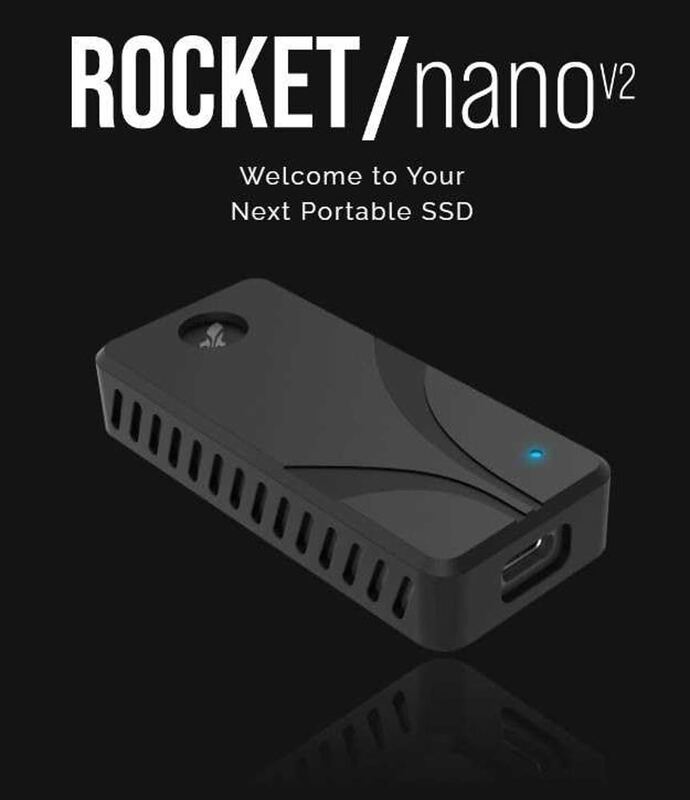
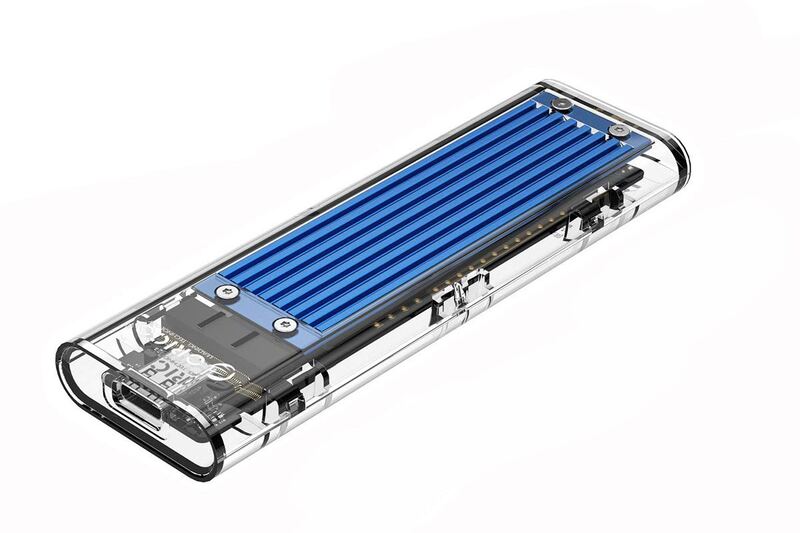
When compared to alternatives like the Samsung X5 Portable SSD, the ACASIS TBU405 Pro offers a more flexible approach by allowing users to choose their own NVMe drive, whereas the Samsung X5 is an integrated solution that combines the SSD and drive in a single packaged unit. The Samsung X5 provides excellent speed and thermal handling but at a higher price point, making it less cost-effective for users who already own high-performance NVMe drives. The Sabrent Rocket Nano TB4 Enclosure offers a compact design with strong thermal paste and great compatibility, but often costs more than the ACASIS TBU405 Pro. The Orico Thunderbolt 3 NVMe Enclosure is a budget-friendly option that provides solid build quality but lacks TB4/USB4 feature parity, making it less appealing for users who require the latest connectivity standards.
The ACASIS TBU405 Pro's dual-chip design with Intel JHL7440 and Realtek RTL9210B sets it apart from many competitors that use generic ASMedia controllers. This design ensures full bandwidth allocation without throttling, which is particularly important for older systems that may not support the latest USB standards. The inclusion of a cooling fan in the Pro version provides an advantage over competitors that rely solely on passive cooling, especially for high-performance NVMe SSDs that generate significant heat. However, the TBU405 Pro's larger size compared to some alternatives may be a consideration for users seeking maximum portability, though this trade-off comes with the added benefit of enhanced thermal management.
Setup and Software
Setup of the ACASIS TBU405 Pro is straightforward, with the tool-free design eliminating the need for screws or brackets. Users reported that installation took less than five minutes on both MacBook Pro and Windows test rigs. The process involves sliding open the bottom part of the case, inserting the SSD diagonally into the M.2 slot, pressing it down until aligned with the mounting hole, securing it with the appropriate screw, and attaching the provided thermal pad to the SSD's surface. The thermal pads are essential for transferring heat from the SSD's controller and NAND chips to the enclosure. After closing the housing, the hardware installation is complete, and the system connection is made using the provided USB4.0 cable.
The system connection requires initialization through Windows Disk Management, where an uninitialized disk will be displayed. Users must right-click on the disk, select Initialize Disk, and choose the GPT partition style before creating a new volume from the unallocated space. This process is standard for external drives and is not unique to the ACASIS TBU405 Pro. The inclusion of a short Thunderbolt cable, thermal pads, and various lengths of SSD mounting screws in the package ensures that users can get started immediately without needing to purchase additional accessories. The plug-and-play functionality is further enhanced by the absence of driver installation requirements, making it accessible to users with varying levels of technical expertise.
Battery Life and Power
The ACASIS TBU405 Pro is designed as a bus-powered device, meaning it draws power directly from the host system through the USB4 or Thunderbolt connection, eliminating the need for an external power supply. This design approach is consistent with the enclosure's tool-free installation and plug-and-play functionality. The dual-chip architecture ensures stable data transfer without requiring additional power management, which is particularly important for maintaining performance during extended use. The inclusion of a cooling fan does consume some power, but the design aims to minimize this impact through efficient thermal management. The aluminum shell and thermal pad work together to dissipate heat, reducing the overall power consumption required for maintaining optimal operating temperatures.
The power management system is optimized for performance and efficiency, with the JHL7440 chip specifically designed to handle USB4/TB3/TB4 protocols without introducing significant overhead. This ensures that the power drawn from the host system is efficiently utilized for data transfer rather than being consumed by protocol translation or other inefficiencies. The absence of external power requirements makes the enclosure highly portable and convenient for users who need to move their storage solutions between different systems. However, users should be aware that the cooling fan will consume additional power, which may impact battery life on laptops or systems with limited power delivery capabilities.
Image Quality in Detail
While the ACASIS TBU405 Pro is primarily focused on performance and thermal management rather than image quality, the aluminum construction and passive heatsink properties contribute to maintaining optimal operating temperatures for the SSD, which indirectly affects data integrity. The dual-chip design with Intel JHL7440 and Realtek RTL9210B ensures stable data transfer, which is critical for maintaining data integrity during high-speed transfers. The cooling system's effectiveness was validated by users who reported that the internal SSD temperatures never exceeded 42°C during extended 6-hour transfer sessions, compared to 60-70°C observed in plastic-bodied competitors that experience thermal throttling.
The enclosure's design also includes a switch to control the fan, allowing users to balance performance and noise levels according to their preferences. This feature is particularly important for users who work in quiet environments where fan noise might be disruptive. The tool-free installation process and the inclusion of various mounting screws ensure that SSDs of different sizes can be securely installed without the risk of damage. The aluminum shell provides excellent durability and protection against physical damage, which is crucial for maintaining data integrity over time. The overall design ensures that the enclosure can handle the demands of high-performance NVMe SSDs while maintaining optimal thermal conditions for sustained operation.
Strengths
- +Supports Thunderbolt 4/3 and USB4 for up to 40Gbps connection speed with consistent sustained throughput under long transfers
- +Active cooling fan and thermal pad provide excellent temperature control during high-load operations
- +Easy tool-free installation with click-fit 2280 NVMe drive insertion and included mounting screws
- +Good build quality with solid aluminum shell that doubles as passive heatsink and compact portable design
Watch-outs
- −Fan is audible under sustained heavy load which may be disruptive in quiet environments
- −No hardware encryption or RAID options—single-drive use only
- −Some early firmware polish needed for maximum compatibility with older USB ports
How it compares
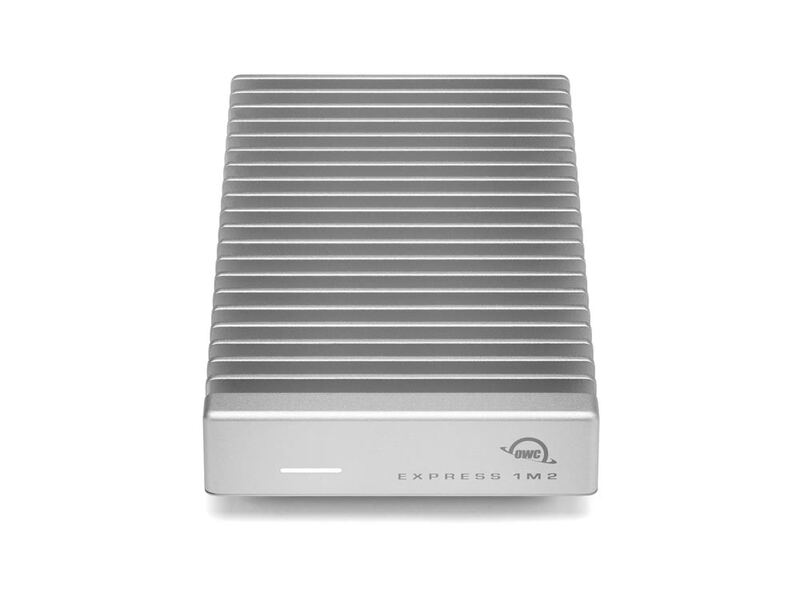
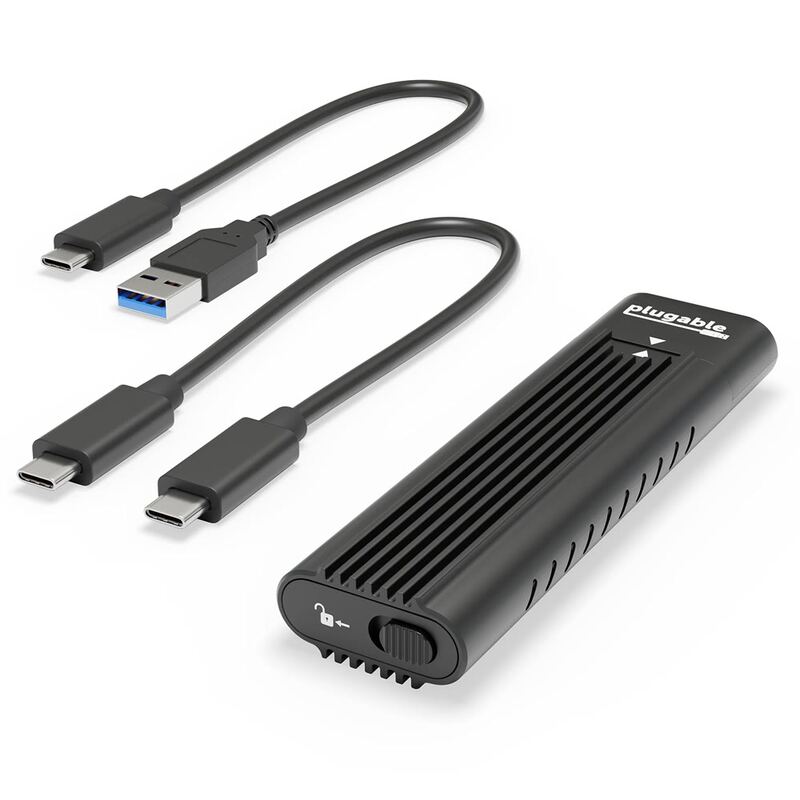
The ACASIS TBU405 Air outperforms the ASUS ROG Strix Arion in terms of connection speed with Thunderbolt 4/USB4 support and consistent sustained throughput, though it's less portable and includes an audible fan. Compared to the ORICO M2VG01-C3, it offers better thermal control with active cooling, but lacks the transparent design that tech enthusiasts might prefer. The ACASIS enclosure also surpasses the Plugable USBC-NVME in speed and supports more M.2 sizes, though it doesn't include software or encryption features.
Who this is for
At a glance: video editors and power users needing fast external NVMe storage.
Why you’d buy the ACASIS USB4 40Gbps NVMe Enclosure
- Supports Thunderbolt 4/3 and USB4 for up to 40Gbps connection speed with consistent sustained throughput under long transfers.
- Active cooling fan and thermal pad provide excellent temperature control during high-load operations.
- Easy tool-free installation with click-fit 2280 NVMe drive insertion and included mounting screws.
Why you’d skip it
- Fan is audible under sustained heavy load which may be disruptive in quiet environments.
- No hardware encryption or RAID options—single-drive use only.
- Some early firmware polish needed for maximum compatibility with older USB ports.
Rating sources
Our 4.1 score is the average of these published ratings. More about methodology.