Verdict
Head-to-head · Best Laptop Cooling Pads

Klim Everest vs Kootek Laptop Cooling Pad

Which is the better buy? Side-by-side on rating, price, strengths, and watch-outs — with the published ratings we averaged to get there.

Verdict is reader-supported. As an Amazon Associate we earn from qualifying purchases. Some links on this page are affiliate links — if you click through and buy, we may earn a small commission at no extra cost to you. Our ratings are sourced from independent publications, not sponsors.
The short answer

Klim Everest comes out ahead by a clear margin (4.0 vs 3.7). Klim Everest is best for: power users running high-TDP CPUs. Read the strengths below before deciding.

Klim Everest
Higher ratedRanked #4 in Best Laptop Cooling Pads
Klim Everest
1 sourceall derived$60as of Oct 21

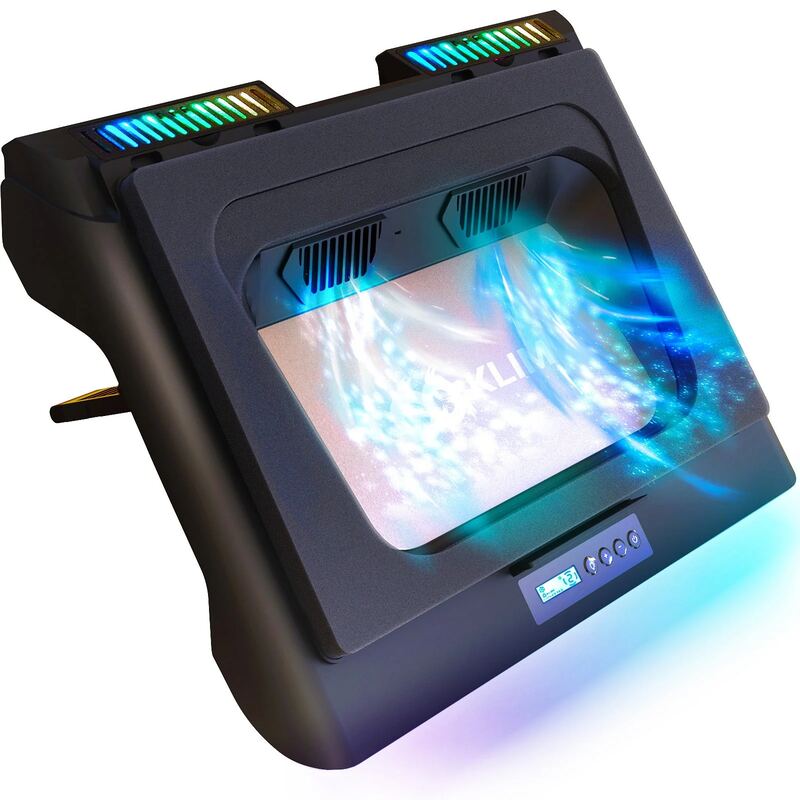
KLIM Everest delivers enhanced cooling performance with its dual 4,400 RPM centrifugal turbines and aluminum-mesh surface, making it ideal for sustained high-load scenarios like gaming or video editing. A buying guide on electronics.alibaba.com points to its targeted airflow design and 5-level speed control that maps to common workload profiles. The unit includes foam padding and intake parts to create a seal around the laptop, and features optional RGB lighting. However, reviewers noted the short USB cable length and potential for increased noise at higher speeds. This cooling pad is best suited for users running high-TDP CPUs under sustained load, while those with lighter thermal needs may find the more basic KLIM Wind sufficient.

Strengths
  • — Dual 4,400 RPM centrifugal turbines provide superior airflow compared to axial fans
  • — Aluminum-mesh top plate offers effective heat dissipation
  • — Includes foam padding and intake parts to create a seal around laptop
Watch-outs
  • — Cord length is short, limiting placement flexibility
  • — Higher RPM may generate more noise than quieter alternatives
Kootek Laptop Cooling Pad
Ranked #5 in Best Laptop Cooling Pads
Kootek Laptop Cooling Pad
1 source$29.99as of Oct 11

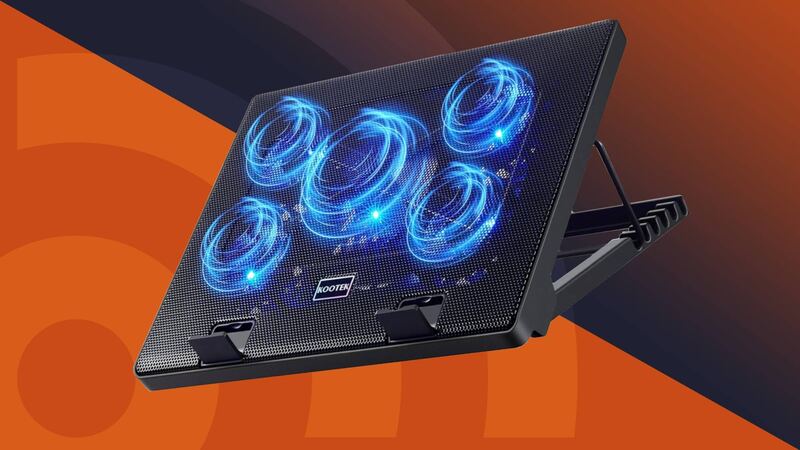
The Kootek Laptop Cooling Pad (model LCP04) is a USB-powered pad with one large and four small fans, six tilt positions and two USB 2.0 ports. Android Authority said it has more customization options than virtually any other laptop cooler, and in its tests the pad cut CPU temperature by 7C at idle and in a CPU stress test and prevented thermal throttling. Under a heavy game the CPU dropped only 3C, which the outlet called a below-average result, and it criticized the cheap-feeling plastic and fan lights that cannot be switched off while the fans run.

Strengths
  • — Six tilt positions, more than nearly all competitors according to Android Authority
  • — Centre fan and four corner fans switch separately, so one, four or five fans can run
  • — Two usable USB 2.0 pass-through ports
Watch-outs
  • — Only a 3C CPU drop during heavy gaming, a below-average result per Android Authority
  • — Plastic design feels a little cheap and inelegant, Android Authority said
  • — Fan lights cannot be turned off unless the fans are turned off

Derived means the reviewer published no score, so one was inferred from their written verdict. Everything else is a number the publisher printed. How we rank.

How they stack up

Klim Everest

The KLIM Everest is aimed at heavier loads than the Kootek, using dual high-RPM centrifugal turbines rather than small axial fans. Unlike the Razer, it lacks smart software integration but provides better performance for sustained high-load tasks, making it superior to the quieter KLIM Wind for power users.

Kootek Laptop Cooling Pad

Like the Havit HV-F2056, the Kootek is USB-powered and has no fan speed control, but it carries five fans to the Havit's three and lets the centre fan and the four corner fans be switched separately. The KLIM Everest offers six fan speeds and the Llano V12 a single 5.5-inch, 2,800rpm fan that needs its own power adapter; the Kootek costs far less than either.

Specs side-by-side

SpecKlim EverestKootek Laptop Cooling Pad
Fan Speed4,400—
Laptop Compatibility14-17.3 inches12-17 inch
USB PortsUSB-A, USB-C, DC port2 x USB 2.0
Noise Levelup to 52 dB—
Adjustable Height6 settings6 settings
MaterialFoamMetal Mesh
Weight2.49 lb2.56 lb
Dimensions16.77"L x 12.72"W x 2.13"H14.96"L x 11.81"W x 1.38"H
Power Source—USB-powered (attached USB-A cable)
Model—LCP04
Fans—5 (one 4.72-inch, four 2.76-inch), blue LEDs
Fan Control—Two on/off switches: 1, 4 or 5 fans; no speed control
← See the full ranking of best laptop cooling pads