Verdict
Head-to-head · Best Mechanical Keyboards Under 100

Keychron K2 Wireless vs RK Royal Kludge RK71

Which is the better buy? Side-by-side on rating, price, strengths, and watch-outs — with the published ratings we averaged to get there.

Verdict is reader-supported. As an Amazon Associate we earn from qualifying purchases. Some links on this page are affiliate links — if you click through and buy, we may earn a small commission at no extra cost to you. Our ratings are sourced from independent publications, not sponsors.
The short answer

Keychron K2 Wireless and RK Royal Kludge RK71 score essentially the same (4.2 vs 4.2). Pick the one whose trade-offs match your priorities — the strengths and watch-outs below are where they actually differ.

Keychron K2 Wireless
Ranked #1 in Best Mechanical Keyboards Under 100
Keychron K2 Wireless
7 sources1 derived$79.99as of Aug 23

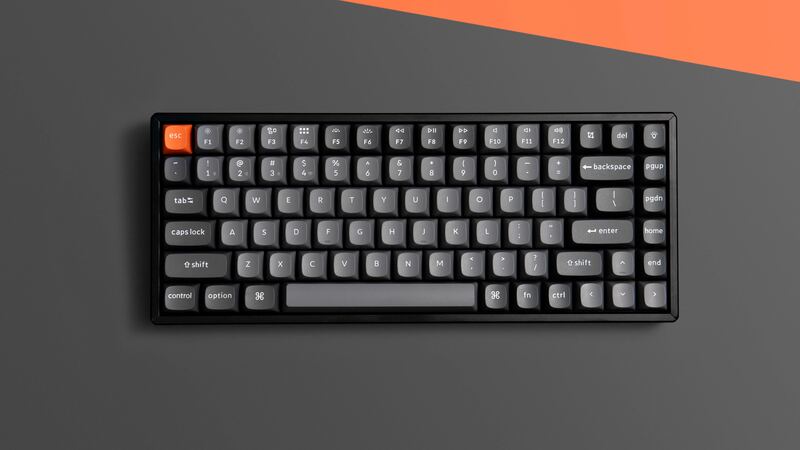
The Keychron K2 Wireless features magnetic Hall Effect switches that allow users to customize actuation points from 0.2mm to 3.8mm, offering versatility for both typing and gaming. Hardware Canucks reviewer Eber Anthony noted its compact 75% design and dual connectivity options, though he found the keyboard's thickness caused wrist strain and recommended using a wrist rest. The keyboard supports both Windows and Mac with included OS-specific keycaps and uses USB-C for charging and connection. RTINGS.com praised its budget-friendly price point and mechanical switch quality, while YouTube reviewer Eber Anthony highlighted the advanced configurability of the magnetic switches. This keyboard is ideal for users seeking a customizable mechanical keyboard but may not suit those prioritizing ultra-thin profiles or extended comfort without additional accessories.

Strengths
  • Uses magnetic Hall Effect switches allowing actuation point adjustment from 0.2mm to 3.8mm
  • Supports both Windows and Mac operating systems with appropriate key caps included
  • Compact 75% layout that saves desk space while maintaining full functionality
Watch-outs
  • Significantly thicker design causes wrist strain and discomfort without wrist rest
  • Charging/USB-C port placement on the side rather than back reduces aesthetic appeal
RK Royal Kludge RK71
Ranked #2 in Best Mechanical Keyboards Under 100
RK Royal Kludge RK71
3 sourcesall derived$49.99as of Aug 23

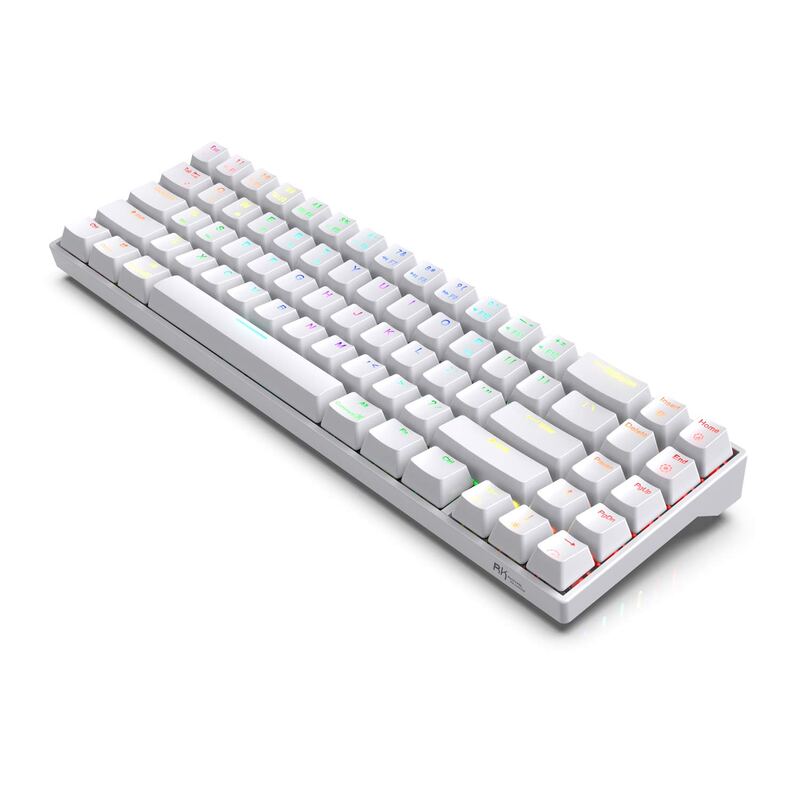
The Royal Kludge RK71 offers a well-thought-out compact layout with dedicated arrow keys and navigation cluster, making it suitable for both productivity and gaming. TechBroll praised its space-efficient design and solid build quality, while a YouTube reviewer highlighted its value proposition as a budget-friendly wireless mechanical keyboard with good connectivity and battery life. The keyboard supports multiple switch types including RK Blue, and comes with a magnetic stand and Bluetooth dongle slot. However, reviewers noted the keycaps feel cheap and the color options are limited. This keyboard is best for users seeking a compact mechanical keyboard with wireless capabilities at an affordable price point.

Strengths
  • Dedicated arrow keys and nav cluster in a compact 71-key layout
  • Works properly in both wired and wireless modes with multi-device Bluetooth connectivity
  • Good build quality with solid plastic construction and ergonomic design
Watch-outs
  • Cheap keycaps that may not withstand long-term use
  • Limiting color scheme with only white and black options available

Derived means the reviewer published no score, so one was inferred from their written verdict. Everything else is a number the publisher printed. How we rank.

How they stack up

Keychron K2 Wireless

The Keychron K2 Wireless's magnetic Hall Effect switches, which allow actuation point adjustment, are unique among these keyboards, unlike the Redragon K552 Kumara or Royal Kludge RK61. While the Epomaker TH80 Pro offers a color LCD screen, the Keychron K2 provides more customizable mechanical switches and dual OS support, though it's thicker than the Ajazz AK33.

RK Royal Kludge RK71

The RK71's dedicated arrow keys and nav cluster distinguish it from the compact Royal Kludge RK61, which lacks these keys. While it shares the RK61's wireless capabilities, the RK71 offers better build quality than the cheaper RK84 and more functionality than the Redragon K552 Kumara, which has no software support for customization.

Specs side-by-side

SpecKeychron K2 WirelessRK Royal Kludge RK71
Layout75%71 Keys with Dedicated Arrow Keys and Nav Cluster
Switch TypeHall Effect MagneticRK Blue /RK Brown
ConnectivityWireless (Bluetooth), Wired (USB-C)Multi-Device Bluetooth Connectivity and Wired Mode
KeycapsDouble-shot PBTABS Double Shot Keycaps
Dimensions12.32"L x 4.84"W x 1.52"H11.4"L x 4"W x 1.6"H
Lighting18 Backlit: Adjustable 4-level RGB backlitICE Blue LED Backlight
Battery4000 mAh1000mAh
Weight663g0.64 kg
Hotswaphot-swappable
← See the full ranking of best mechanical keyboards under 100