Verdict
Head-to-head · Best Portable Monitors

Arzopa Z1RC 16-Inch 2.5K vs Lenovo ThinkVision M14t Gen 2

Which is the better buy? Side-by-side on rating, price, strengths, and watch-outs — with the published ratings we averaged to get there.

Verdict is reader-supported. As an Amazon Associate we earn from qualifying purchases. Some links on this page are affiliate links — if you click through and buy, we may earn a small commission at no extra cost to you. Our ratings are sourced from independent publications, not sponsors.
The short answer

Lenovo ThinkVision M14t Gen 2 comes out ahead by a clear margin (4.3 vs 4.0). Lenovo ThinkVision M14t Gen 2 is best for: Best for designers needing touchscreen and stylus support on the road. Read the strengths below before deciding.

Arzopa Z1RC 16-Inch 2.5K
Ranked #4 in Best Portable Monitors
Arzopa Z1RC 16-Inch 2.5K
2 sources$150as of Oct 11

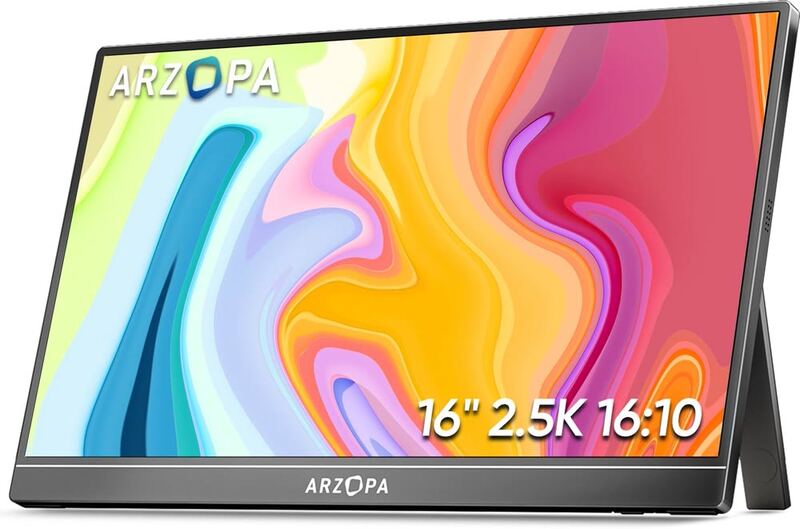
The Arzopa Z1RC is a 16-inch portable monitor whose selling point is resolution: 2560 x 1600 on an IPS panel, at a price where 1080p is the norm. TechRadar's four-star review calls the sharpness and the folding stand better than the money suggests, while flagging uneven backlighting and colour that will not satisfy anyone editing photographs. BGR scored it eight out of ten on similar terms. Take it as a second screen for documents and email; look elsewhere if colour accuracy is part of the job.

Strengths
  • — Offers a high 2560 x 1600 (2.5K) resolution for a 16-inch portable screen
  • — Supports both landscape and portrait orientations with an adjustable integrated stand
  • — Provides versatile connectivity via both Mini HDMI and USB-C inputs
Watch-outs
  • — Backlight uniformity is poor, leading to uneven brightness across the panel
  • — Color accuracy is insufficient for professional creative work or photo editing
Lenovo ThinkVision M14t Gen 2
Higher ratedRanked #2 in Best Portable Monitors
Lenovo ThinkVision M14t Gen 2
6 sources

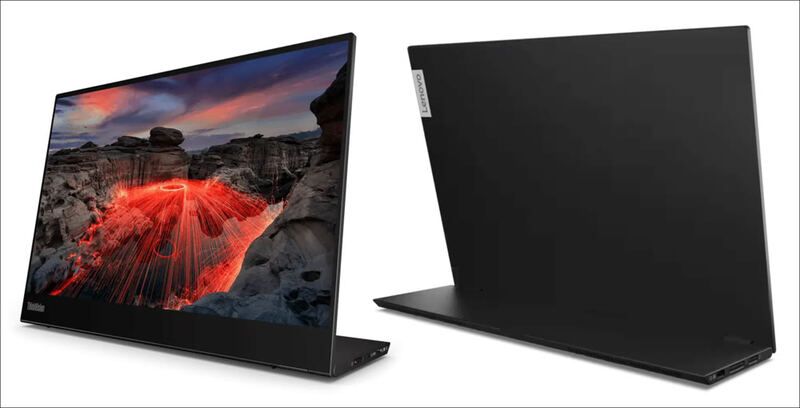
Reviewers rate the Lenovo ThinkVision M14t Gen 2 as a premium portable display, singling out the 300-nit IPS panel and a stand that flips easily between portrait and landscape. PCMag notes it is limited to USB-C connectivity, though it still works as an effective secondary screen for a laptop. Critics point to the missing built-in speakers and a price above basic portable monitors. Business professionals who need a reliable touch-enabled extension screen are the fit; casual users will be happier with cheaper, non-touch alternatives.

Strengths
  • — Includes a versatile VESA-compatible stand that supports both portrait and landscape orientations
  • — Maintains a lightweight and portable design suitable for mobile professionals and digital nomads
  • — Covers 99.9% of the sRGB color space in testing, unusually wide for a portable monitor
Watch-outs
  • — Lacks built-in speakers, requiring external audio solutions
  • — Higher price point compared to standard non-touch portable monitors

How they stack up

Arzopa Z1RC 16-Inch 2.5K

The Arzopa Z1RC matches the 2560x1600 resolution of the HP Series 5 Pro on a larger 16-inch panel and adds a Mini HDMI input, where the HP is USB-C only with no HDMI port. It is dimmer at 300 nits against the HP's 400 and heavier at 3.53 lb against 2.43 lb. Its color accuracy falls short for photo editing, while the HP's panel is credited with great color accuracy for professional work.

Lenovo ThinkVision M14t Gen 2

The Lenovo ThinkVision M14t Gen 2 has a touch-capable 14-inch 2240x1400 panel, a lower resolution than the 2560x1600 of the same-size HP Series 5 Pro, and is rated at 300 nits against the HP's 400. Like the HP, it is USB-C-only, and it weighs 1.61 lb against the HP's 2.43 lb. It has no built-in speakers.

Specs side-by-side

SpecArzopa Z1RC 16-Inch 2.5KLenovo ThinkVision M14t Gen 2
Screen Size16-Inch14-inch
Resolution2560 x 16002240 x 1400
Panel TypeIPSIPS
ConnectivityMini HDMI, USB-CUSB-C
Refresh Rate165Hz60 Hz
Brightness300 nits300 nits
Weight3.53 lb1.61 lb
StandAdjustable IntegratedVESA, Portrait/Landscape
← See the full ranking of best portable monitors