Verdict
Head-to-head · Best Chromebooks Under $500

Acer Chromebook Plus 514 vs ASUS Chromebook CX15

Which is the better buy? Side-by-side on rating, price, strengths, and watch-outs — with the published ratings we averaged to get there.

Verdict is reader-supported. As an Amazon Associate we earn from qualifying purchases. Some links on this page are affiliate links — if you click through and buy, we may earn a small commission at no extra cost to you. Our ratings are sourced from independent publications, not sponsors.
The short answer

ASUS Chromebook CX15 comes out ahead by a narrow margin (3.9 vs 3.8). ASUS Chromebook CX15 is best for: Budget buyers and households who need a cheap, large-screen second laptop for casual browsing, streaming, and light tasks. Read the strengths below before deciding.

Acer Chromebook Plus 514
Ranked #3 in Best Chromebooks Under $500
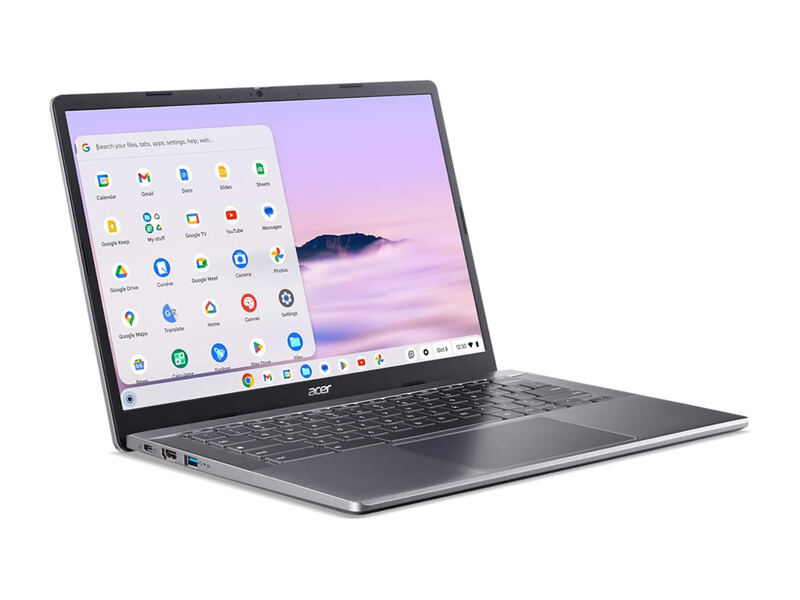
Acer Chromebook Plus 514
3 sources$448as of Oct 11

The Acer Chromebook Plus 514 is the storage-and-value pick: a light 14-inch clamshell with a standout 512GB SSD, snappy Intel Core i3-N305 performance, Wi-Fi 6E, and all-day battery. PCWorld called it a decent budget Chromebook that beats competitors on RAM and storage and felt as quick as pricier peers, while TechRadar praised its speed, display, and sleek design. The screen is a touch dim, but for local storage per dollar nothing here comes close.

Strengths
  • — Huge 512GB PCIe Gen 4 SSD, far more local storage than rivals
  • — Feels as quick as pricier peers in everyday ChromeOS tasks
  • — Light at just 3.15 pounds and easy to carry all day
Watch-outs
  • — Display tops out around 315 nits and can look dim in bright rooms
  • — Plain design lacks the premium feel of the Lenovo Flex 5i
ASUS Chromebook CX15
Higher ratedRanked #2 in Best Chromebooks Under $500
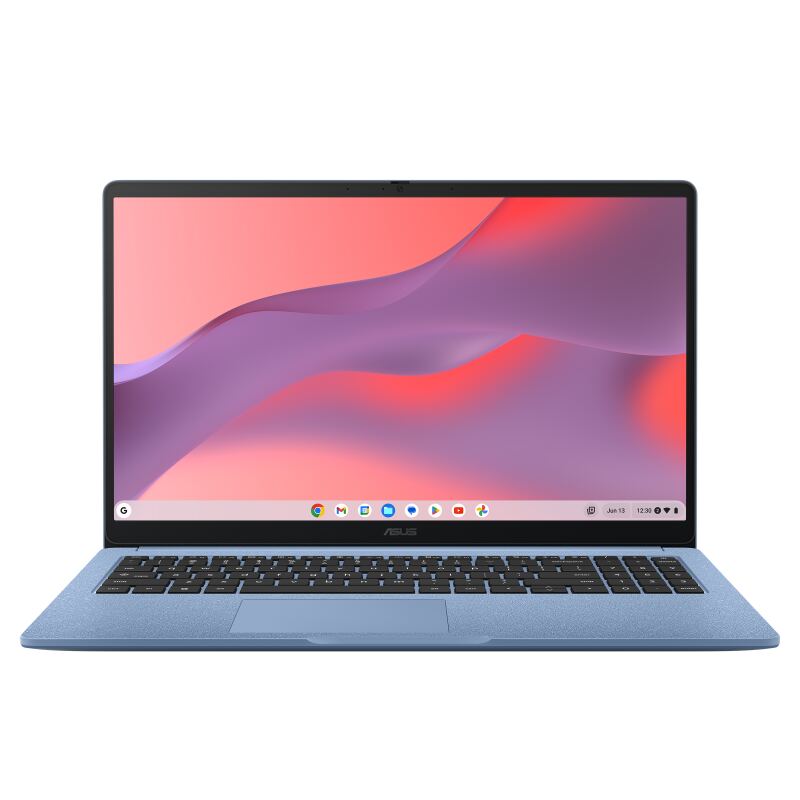
ASUS Chromebook CX15
3 sources$239as of Oct 11

The ASUS Chromebook CX15 is the budget pick: a 15.6-inch ChromeOS laptop that often sells around $159-199, with a crisp matte 1080p display, a decent keyboard, and about 11 hours of battery. Reviewers are clear about the trade-offs, PCWorld (3.5/5) and Tom's Guide (80%) both call it good value but slow, and the entry-level 4GB RAM bogs down under multitasking. As a minimum-viable, casual-use Chromebook it delivers a lot for the money, but it is the slowest option here.

Strengths
  • — Outstanding value, often around $159-199
  • — Large 15.6-inch 1080p matte display that resists glare
  • — Decent keyboard with good travel for a budget machine
Watch-outs
  • — Entry configs ship with only 4GB of RAM, which fills up fast
  • — PCWorld calls it the slowest ChromeOS machine it has reviewed in years
  • — Best treated as a basic, casual-use second laptop

How they stack up

Acer Chromebook Plus 514

It shares the Intel Core i3-N305 with the HP Chromebook Plus 14a but pairs it with a 512GB SSD against the HP's 128GB. The ASUS Chromebook Plus CX34 also stops at 128GB, though the Acer's battery trails the CX34's runtime. Its display tops out around 315 nits and can look dim in bright rooms.

ASUS Chromebook CX15

The ASUS Chromebook CX15 is not a Chromebook Plus device, unlike the ASUS Chromebook Plus CX34, Acer Chromebook Plus 514 and HP Chromebook Plus 14a. Its 15.6-inch matte display is larger than their 14-inch panels and it costs less than all three, but its two-core Celeron N4500 is slow next to the eight-core Core i3-N305 in the Acer and HP. Its battery lasts around 11 hours.

Specs side-by-side

SpecAcer Chromebook Plus 514ASUS Chromebook CX15
CPUIntel Core i3-N305 (8-core)Intel Celeron N4500 (2-core)
RAM8GB LPDDR54GB-8GB LPDDR5X (config dependent)
Storage512GB PCIe Gen 4 SSD128GB eMMC
Display14" 1920x1080 IPS, 60Hz touch15.6" 1920x1080 matte IPS
Weight3.15 lb3.51 lb
WirelessWi-Fi 6E—
OSChromeOS (Chromebook Plus)ChromeOS
Ports—USB-C, USB-A, HDMI
← See the full ranking of best chromebooks under $500