Verdict
Head-to-head · Best Mini PCs For Video Editing

AceMagic K1 vs Geekom A5 2025 Edition

Which is the better buy? Side-by-side on rating, price, strengths, and watch-outs — with the published ratings we averaged to get there.

Verdict is reader-supported. As an Amazon Associate we earn from qualifying purchases. Some links on this page are affiliate links — if you click through and buy, we may earn a small commission at no extra cost to you. Our ratings are sourced from independent publications, not sponsors.
The short answer

Geekom A5 2025 Edition comes out ahead by a clear margin (4.2 vs 3.7). The gap is mostly about users seeking efficient virtualization or productivity setups — read the strengths below before deciding.

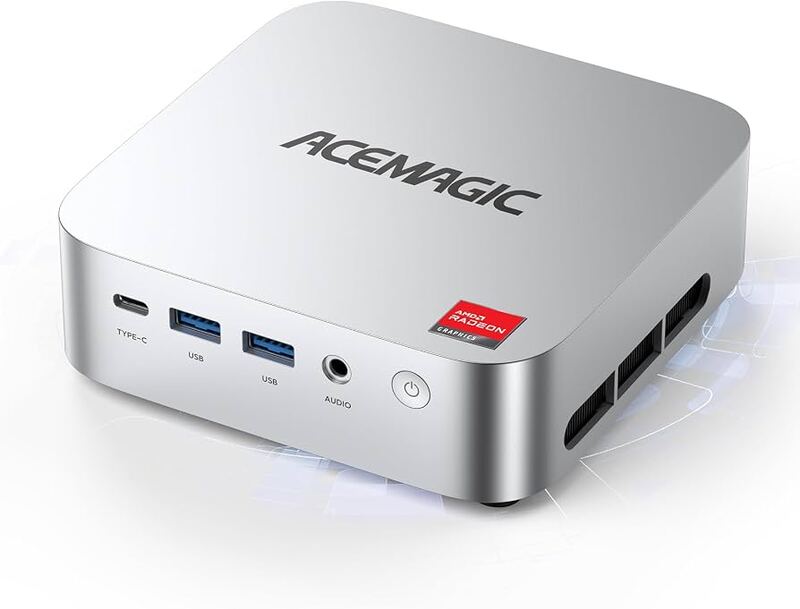
AceMagic K1
Ranked #5 in Best Mini PCs For Video Editing
AceMagic K1
6 sources1 derived$359as of Oct 3

The AceMagic K1 offers a compact form factor and triple 4K display support via HDMI, DisplayPort, and USB-C, making it ideal for users needing extensive screen real estate in a small footprint. TechRadar noted its solid build quality despite the all-plastic chassis, while IT Pro highlighted the aesthetic appeal of its clean design. However, minipc-review found that single-channel RAM limits integrated GPU performance by up to 68 percent, and michaelstinkerings.org identified the base SATA SSD as a significant bottleneck with speeds around 81 MB/s. Internal upgrades are also difficult due to delicate antenna cables and hidden screws. This unit fits remote workers and digital signage operators who prioritize connectivity over graphics or storage speed, but gamers and upgraders should look elsewhere.

Strengths
  • — Compact square form factor (128.2 x 128.2 x 41 mm) with VESA mount support to free up desk space
  • — Triple display output capability via HDMI, DisplayPort, and USB-C supporting simultaneous 4K resolution
  • — Expandable storage with two M.2 slots allowing upgrades up to 4TB total capacity
Watch-outs
  • — Pre-installed single-channel RAM configuration significantly limits integrated graphics performance
  • — Base storage uses slow SATA-based M.2 SSDs with read/write speeds around 81 MB/s
  • — Internal upgrade access requires removing rubber feet and dealing with delicate antenna cables
Geekom A5 2025 Edition
Higher ratedRanked #3 in Best Mini PCs For Video Editing
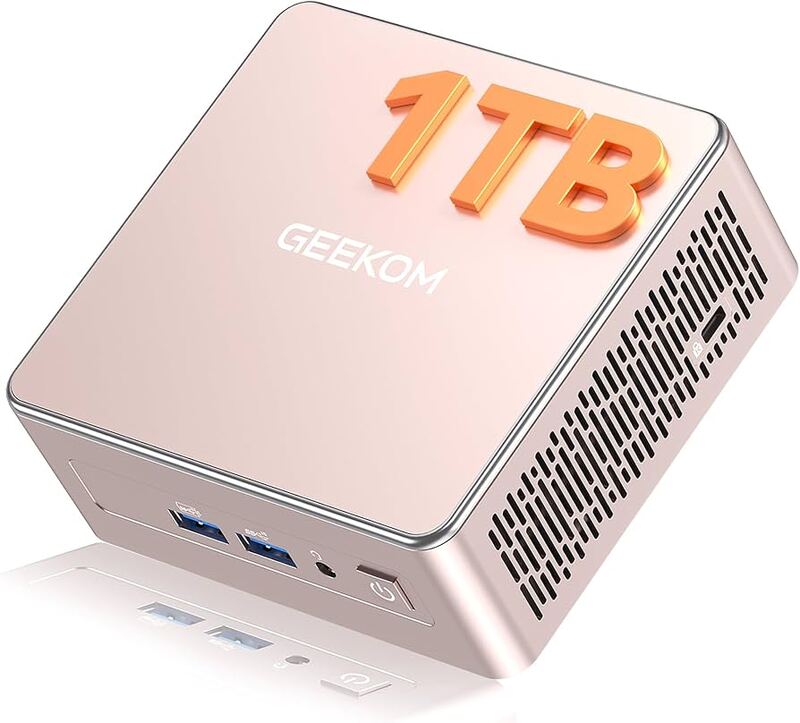
Geekom A5 2025 Edition
8 sources$549as of Oct 3

The Geekom A5 2025 Edition delivers strong performance-to-cost balance and extensive expandability, featuring dual-channel DDR4 support up to 64GB and versatile quad-display connectivity. IT Pro found the chassis design thoughtful with captive screws for easy maintenance, while Virtualization Howto confirmed seamless Linux compatibility ideal for home lab deployments. However, the unit suffers from a restrictive secondary M.2 slot limited to the smaller 2242 form factor and an annoyingly short SATA ribbon cable prone to coming adrift. This mini PC fits users seeking efficient virtualization or productivity setups but should be avoided by those requiring high-end gaming performance or robust wireless stability.

Strengths
  • — Affordable pricing starting around $399, offering a strong performance-to-cost balance compared to premium competitors.
  • — Highly expandable with dual-channel DDR4 SODIMM slots (up to 64GB), an M.2 NVMe slot, and a dedicated 2.5-inch SATA bay for triple storage configurations.
  • — Versatile connectivity featuring two HDMI 2.0b ports and two USB-C ports supporting DisplayPort Alt Mode for quad-display setups.
Watch-outs
  • — The secondary M.2 slot is restricted to the smaller 2242 form factor, limiting SSD upgrade options.
  • — Wireless connectivity relies on a Realtek RTL8852BE card that supports only Wi-Fi 6 (no Wi-Fi 6E) and lacks Thunderbolt or USB4 ports.
  • — Includes an internal SATA ribbon cable for the 2.5-inch drive bay that reviewers describe as annoyingly short and prone to coming adrift.

Derived means the reviewer published no score, so one was inferred from their written verdict. Everything else is a number the publisher printed. How we rank.

How they stack up

AceMagic K1

The AceMagic K1 offers a more compact square form factor (128.2 x 128.2 mm) compared to the rectangular dimensions of the Geekom A5 2025 Edition, but its single-channel RAM configuration limits integrated graphics performance by up to 68 percent relative to dual-channel setups like those in the GMKtec NucBox M6 Ultra. While it supports triple 4K displays via HDMI, DisplayPort, and USB-C, its base SATA SSD speeds of around 81 MB/s are significantly slower than the NVMe drives found in both the Geekom A5 and the NucBox M6.

Geekom A5 2025 Edition

The Geekom A5 2025 Edition provides extensive expandability with dual-channel DDR4 support up to 64GB and a dedicated 2.5-inch SATA bay, offering more storage flexibility than the single M.2 slot configuration of the AceMagic K1.

Specs side-by-side

SpecAceMagic K1Geekom A5 2025 Edition
ProcessorAMD Ryzen 5 7430U (6C/12T)AMD Ryzen 5 7430U
GraphicsAMD Radeon GraphicsAMD Radeon Vega 7
Memory16GB DDR4-320016GB DDR4-3200 (Expandable to 64GB)
Storage512GB M.2 SATA SSD512GB M.2 NVMe SSD + SATA Bay
NetworkingWiFi 6 / 6E, Bluetooth 5.22.5GbE LAN, Wi-Fi 6, Bluetooth 5.2
Dimensions128.2 x 128.2 x 41 mm117 x 112 x 49mm
Weight~392g - 515g~652g
← See the full ranking of best mini pcs for video editing