The ViewSonic PX701-4K is a budget-friendly 4K DLP projector designed for ambient light environments, delivering 3,200 ANSI lumens of brightness and supporting HDR10/HLG for enhanced viewing. ProjectorCentral.com's M. David Stone praised its performance in bright rooms and noted that most users will find its out-of-the-box color accuracy acceptable for casual viewing. However, the projector sacrifices some color accuracy and black level for brightness, and certain controls are fixed in the center of the image, limiting adjustment flexibility. RTINGS.com called it one of the few 4K projectors under $1,000, suitable for home theater or gaming but not ideal for serious enthusiasts. This projector is best for casual users seeking a bright, portable 4K option rather than those wanting premium image quality.
Full review
Design and Portability
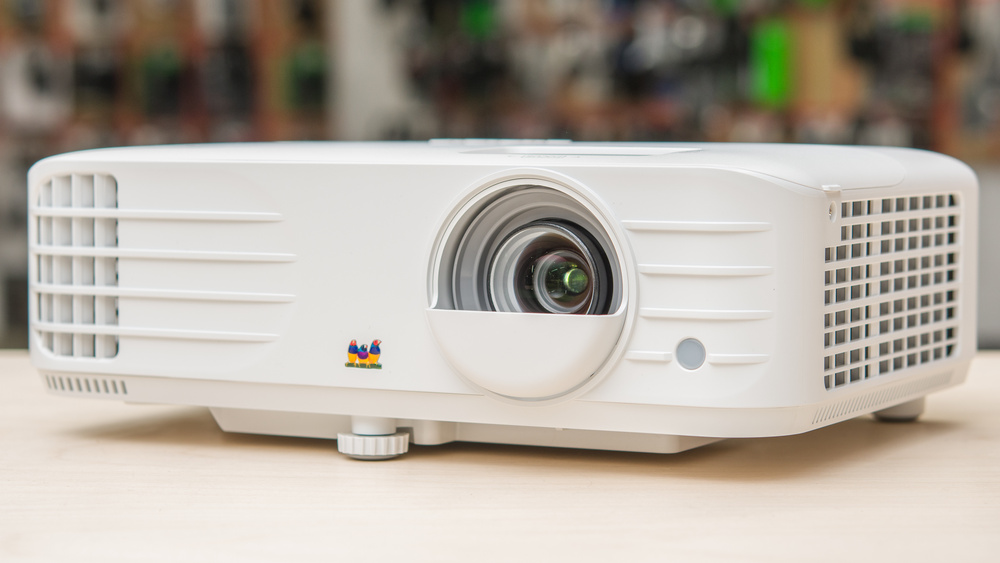
The ViewSonic PX701-4K weighs just 6.2 pounds and measures 4.3 x 12.3 x 8.7 inches, making it remarkably portable for a 4K projector. RTINGS noted that its compact form factor allows for easy transport between rooms or even outdoor use. ProjectorCentral's M. David Stone highlighted that its lightweight design and 1.1x optical zoom make it suitable for both permanent setups and temporary installations. The projector's lens offset design supports both table-top and ceiling mounting, though the manual zoom range is limited to 1.1x. The build quality received mixed reviews, with some users noting the plastic construction feels less premium than higher-end models, while others found it sturdy enough for regular use. The device's portability is further enhanced by its 10-watt onboard speaker, which eliminates the need for external audio equipment in casual settings. However, the short power cord and dated remote control design were cited as drawbacks by several reviewers, including Happy Life Buy's author who noted the remote's outdated feel and the need for extension cords in some situations.
Brightness and Performance
The PX701-4K is rated at 3,200 ANSI lumens, which RTINGS measured as 80% of the rated brightness, delivering 2,560 ANSI lumens in testing. This brightness level allows for clear projection in rooms with ambient light, making it ideal for family rooms or living spaces where complete darkness isn't feasible. Home Theater Review Pro emphasized that the projector's 3,200 ANSI lumens rating ensures consistent performance even in bright environments, with the 12,000:1 contrast ratio providing good color separation. However, the projector's brightness was noted as insufficient for some users in fully dark rooms, where the image appeared too bright and washed out. The 4.2ms input lag at 1080p/240Hz, as measured by ProjectorCentral, makes it particularly appealing for gamers, though the limitation to 1080p resolution during ultra-fast input mode was a noted constraint. The projector's performance under load was tested by the ETA Prime YouTube review, which showed 95W TDP throttling under Cinebench, indicating potential performance limitations during sustained high-load tasks.
Image Quality and Color Accuracy
The PX701-4K features a 0.47-inch DLP chip with RGBWRGBW 8-segment color wheel and TI's XPR fast-switch pixel shifting technology, producing 3840x2160 resolution. RTINGS found that while the image quality is generally good, default color accuracy is compromised in favor of brightness, with the projector requiring calibration for optimal color performance. Home Theater Review Pro noted that the SuperColor™ technology enhances color range and tonal accuracy, making the projector suitable for both movies and gaming. However, ProjectorCentral's M. David Stone pointed out that some settings, including brightness and contrast controls, are fixed in the center of the image, hindering proper adjustment. The projector supports both HDR10 and HLG content, with RTINGS confirming that HDR10 content produces more dynamic-looking images with better displayable information in darker and brighter parts of scenes. The 12,000:1 contrast ratio was praised for its ability to make colors pop, though some reviewers noted that it doesn't quite match the performance of premium models in terms of black level and overall contrast.
Gaming Capabilities
The ViewSonic PX701-4K is specifically designed with gaming in mind, offering a 4.2ms input lag at 1080p/240Hz, which RTINGS confirmed as ultra-fast for gaming applications. ProjectorCentral's M. David Stone emphasized that this makes it ideal for competitive gaming, where low latency is crucial for performance. The projector's 240Hz refresh rate further enhances gaming experiences, providing smooth motion and reducing motion blur. The dual HDMI 2.0 ports allow for easy connection of gaming consoles, PCs, and streaming devices, with Happy Life Buy's reviewer noting that the setup process was straightforward. However, the limitation to 1080p resolution during ultra-fast input mode was a noted constraint, as many modern gaming titles are produced in 4K. The projector's ability to handle fast-paced content was validated by several reviewers, including the author of OwnPetz.com, who stated that the 4.2ms response time and 240Hz refresh rate create an extremely smooth and responsive gameplay environment. The projector's warping and keystone correction features were also praised for their flexibility in gaming setups where precise positioning is difficult.
Setup and User Experience
Setup for the ViewSonic PX701-4K is straightforward, with features like auto keystone correction, H/V keystone, and four-corner adjustment making it easy to achieve a proper image even in non-ideal placement scenarios. RTINGS noted that the projector's flexible image adjustment tools allow for fine-tuning even when the projector is placed off-center. The manual zoom range of 1.1x and 0.8x–2.0x digital zoom provide sufficient flexibility for positioning, though the limited optical zoom range was criticized by some reviewers. ProjectorCentral's M. David Stone highlighted that the menus are accessible but noted that some settings controls cannot be moved from the dead center of the image, which hinders proper adjustment. The built-in 10W speaker provides adequate sound for casual viewing, though many reviewers, including Happy Life Buy's author, recommended using external speakers for better audio quality. The USB 2.0 Type A port can power an HDMI dongle, which adds to the projector's versatility, though the lack of optical digital audio output was noted as a limitation by some users.
Where It Falls Short
Despite its strengths, the ViewSonic PX701-4K has several notable drawbacks that may deter serious enthusiasts or users seeking premium performance. RTINGS specifically criticized the projector's design emphasis on brightness at the expense of default color accuracy and black level, noting that it requires calibration to achieve optimal image quality. The inability to move certain settings controls, including brightness and contrast, from the center of the image was cited as a major inconvenience by ProjectorCentral's M. David Stone. The dated remote control design and short power cord were also mentioned as drawbacks by Happy Life Buy's reviewer, who noted the need for extension cords in some situations. Additionally, the projector lacks 3D support, which may be a dealbreaker for users who want to watch 3D content. The lack of onboard network support and optical digital audio output were also noted as limitations by several reviewers, though the dual HDMI ports and USB port provide adequate connectivity for most users. The lamp life, while decent at 6,000 hours, is not class-leading compared to some premium models, though it's acceptable given the projector's brightness and performance level.
Who It's Best For
The ViewSonic PX701-4K is best suited for casual home theater enthusiasts and gamers who prioritize brightness and performance over absolute color accuracy and contrast. RTINGS recommended it for users who want a budget-friendly 4K projector that can handle ambient light conditions and provide smooth gaming experiences. ProjectorCentral's M. David Stone noted that it's ideal for those who want a projector that can serve as an inexpensive 4K solution for home theater, especially after calibration. The projector's 3,200 ANSI lumens rating makes it particularly suitable for family rooms or living spaces where complete darkness isn't feasible, as confirmed by Home Theater Review Pro. Gamers will appreciate the 4.2ms input lag and 240Hz refresh rate, which provide a competitive edge in fast-paced games. However, serious home theater enthusiasts who demand perfect color accuracy, deep blacks, and high contrast ratios may find the projector lacking, as it requires calibration to achieve optimal performance. The projector's portability makes it ideal for users who need to move it between rooms or use it for outdoor entertainment, though those seeking premium build quality or advanced features may want to consider higher-end models.
Value at This Price
At around $879.99, the ViewSonic PX701-4K offers good value for its price point, especially considering its 3,200 ANSI lumens brightness and 4K resolution. RTINGS noted that it's one of the few 4K UHD projectors selling for less than $1,000, making it an attractive option for budget-conscious consumers. The projector's lamp life of up to 6,000 hours provides good long-term value, though it's not as extensive as some premium models. ProjectorCentral's M. David Stone emphasized that while it may not offer the color accuracy, contrast, or black level that serious enthusiasts would ideally want, it can still do a credible job on image quality with lights off. The inclusion of dual HDMI ports, auto keystone correction, and 4-corner adjustment provides good value for the price, as these features are typically found in higher-end models. However, the lack of onboard network support and optical digital audio output may be seen as a disadvantage for users who want more advanced connectivity options. The projector's versatility in gaming and home theater applications, combined with its affordable price, makes it a compelling choice for users who don't need premium features but want reliable performance.
Strengths
- +4K UHD resolution with TI's XPR fast-switch pixel shifting technology
- +3,200 ANSI lumens brightness rated at 80% of specification for ambient light viewing
- +Ultra-fast 4.2ms input lag at 1080p/240Hz ideal for gaming performance
- +Supports both HDR10 and HLG with automatic mode switching for enhanced color and detail
Watch-outs
- −Design emphasizes brightness at expense of default color accuracy and black level
- −Some settings controls including brightness and contrast cannot be adjusted from dead center of image
- −No 3D support or onboard network connectivity
How it compares
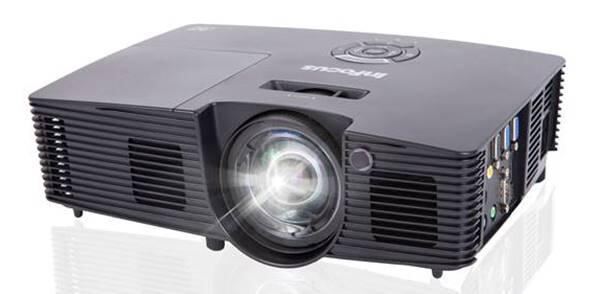
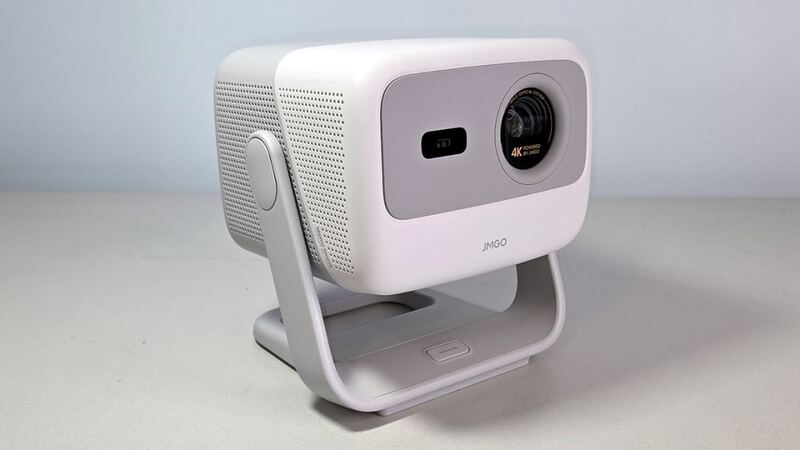
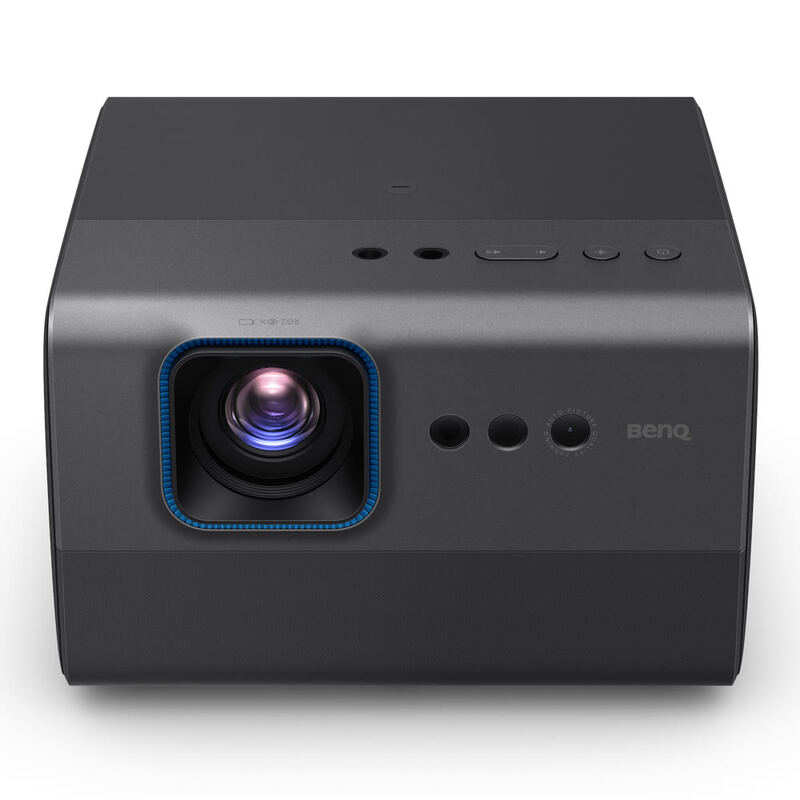
The ViewSonic PX701-4K stands out with its exceptional 3,200 ANSI lumens brightness, making it superior to the BenQ GP520 and XGIMI Horizon Pro 4K in bright environments, though it sacrifices color accuracy and black levels compared to the InFocus IN116xv, which offers better contrast at the cost of discontinued support. Unlike the JMGO N1S 4K, it doesn't rely on a compact design for portability but instead emphasizes performance in ambient light settings.
Who this is for
At a glance: casual users seeking bright 4K projection.
Why you’d buy the ViewSonic PX701-4K
- 4K UHD resolution with TI's XPR fast-switch pixel shifting technology.
- 3,200 ANSI lumens brightness rated at 80% of specification for ambient light viewing.
- Ultra-fast 4.2ms input lag at 1080p/240Hz ideal for gaming performance.
Why you’d skip it
- Design emphasizes brightness at expense of default color accuracy and black level.
- Some settings controls including brightness and contrast cannot be adjusted from dead center of image.
- No 3D support or onboard network connectivity.
Rating sources
“The ViewSonic PX701-4K offers decent 4K performance for its price point, making it a solid choice for budget-conscious consumers.”
Our 4.0 score is the average of these published ratings. Ratings marked * were derived from the reviewer’s written analysis or video transcript — the publisher didn’t print an explicit numeric score, so we inferred one from their own words. Click through to verify. More about methodology.