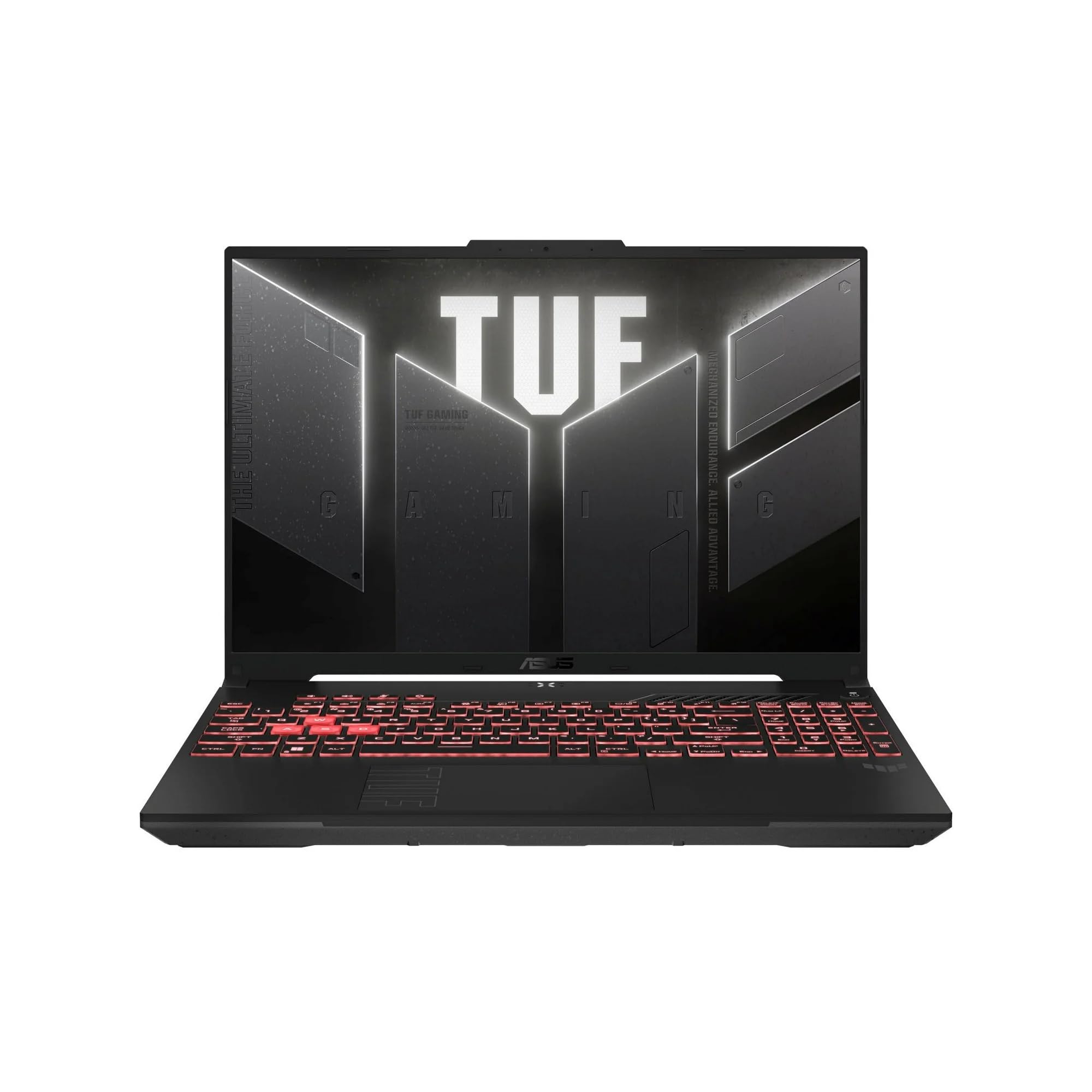
The ASUS TUF Gaming A16 delivers outstanding battery endurance that challenges gaming laptop norms, with PCWorld noting all-day life and LaptopMedia recording over 14 hours in tests. The device features a rugged MIL-STD chassis and a versatile 165Hz display, though left-handed users will find the port orientation obstructive as PCWorld criticized its placement. Additionally, the keyboard keys feel soft and fatiguing during long sessions, and the base model’s 720p webcam limits video conferencing clarity for professionals. This laptop fits travelers and gamers prioritizing battery life and durability, but those requiring ergonomic comfort or high-resolution webcams should look elsewhere.
Full review
Battery endurance shatters gaming laptop norms
The ASUS TUF Gaming A16 fundamentally challenges the conventional wisdom that high-performance mobile hardware must sacrifice portability for power. PCWorld identified this capability as outstanding, noting that the device delivers all-day battery life on a single charge, a stark contrast to typical gaming machines that require constant tethering to an outlet. This endurance is not merely adequate; it represents a significant architectural shift in how mid-range laptops manage energy consumption during both idle and active states.
LaptopMedia pushed these metrics even further with their 2025 FA608 model, clocking over 14 hours of continuous battery life under standard usage conditions. Their findings suggest that the combination of efficient AMD processors and optimized power delivery allows the A16 to outlast many ultrabooks designed specifically for office work. This level of endurance means users can engage in extended creative workflows or travel without carrying their heavy charging bricks, effectively decoupling performance from wall dependency.
However, this battery life is highly dependent on workload and configuration choices. While PCWorld praised the all-day capability, other observers noted that gaming scenarios drain the 90Wh cell much faster. The laptop relies heavily on smart power management features to achieve these high numbers during productivity tasks, but sustained graphical loads will inevitably reduce runtime significantly. Shoppers seeking a dedicated mobile workstation for long flights should appreciate this efficiency, while competitive gamers planning LAN sessions might still prefer plugging in for consistent frame rates.
Display aspect ratio benefits handheld streaming
The 16-inch panel utilizes a 16:10 aspect ratio, a design choice that offers specific advantages beyond simply providing more vertical screen real estate. WellPlayed.com.au highlighted how this particular resolution and shape perfectly align with the display dimensions of devices like the Steam Deck. For users who frequently stream PC games to handheld consoles or tablets, the A16’s native 1920x1200 output eliminates the need for complex scaling workarounds or black bars, ensuring that streamed content fits seamlessly across different screens.
PCWorld described the visuals as gorgeous and smooth, pointing to the 165Hz refresh rate as a key factor in delivering fluid motion during fast-paced gameplay. The IPS-level panel covers 100 percent of the sRGB color gamut, which provides accurate colors for both gaming and content creation tasks like photo editing or video grading. This combination of high refresh rates and wide color coverage makes the display versatile enough to serve as a primary monitor for creative professionals who also game.
Despite these strengths, some reviewers found the brightness levels underwhelming in certain environments. One YouTube reviewer noted that while 400 nits is sufficient for indoor use, it struggles with glare when used near bright windows or outdoors. The matte coating helps mitigate reflections to a degree, but users who frequently work in varied lighting conditions might find themselves squinting more than they would with higher-brightness OLED alternatives. This trade-off keeps costs down while maintaining durability and color accuracy.
Left-side port layout alienates left-handed users
The physical placement of the I/O ports on the A16 creates a distinct ergonomic divide between right- and left-handed mouse users. PCWorld explicitly criticized the left-side orientation, noting that it will not suit left-handers who typically rest their wrist or palm against the side of the laptop while gaming. This design forces left-handed users to either contort their arm away from the ports or constantly navigate around cables connected to HDMI, USB-C, and Ethernet jacks.
The port selection itself is robust for a mid-range device, featuring dual USB-C 3.2 Gen 2 ports with DisplayPort support, one of which handles power delivery. PC Gamer noted that the inclusion of Wi-Fi 6E ensures stable wireless connectivity alongside the gigabit Ethernet jack. However, the physical arrangement means that charging cables and display outputs crowd the left flank, potentially interfering with mouse movement or wrist placement for those who prefer a left-handed grip.
Right-handed users generally find this layout unobtrusive, as their dominant hand operates freely on the right side of the chassis where only two USB-A ports are located. The rear exhaust vent is also positioned away from the primary port cluster, reducing heat exposure to connected cables during heavy loads. For left-handed gamers, this remains a significant ergonomic hurdle that cannot be easily mitigated without using external docking stations or cable management solutions.
Keyboard actuation causes finger fatigue over time
While the A16’s keyboard offers generous key travel and a tactile experience that many users appreciate for gaming, it is not without physical drawbacks during extended typing sessions. PCWorld pointed out that the keys feel soft and can become fatiguing to use after prolonged periods of productivity work. The actuation point requires more force than some mechanical-style keyboards, which might lead to hand strain for writers or programmers who type hundreds of words daily.
The keycaps feature a translucent design that allows RGB lighting to shine through effectively, creating an immersive aesthetic during gaming sessions. PC Gamer noted that the layout includes a full numeric keypad and dedicated macro keys accessible via software customization. The tactile feedback is distinct enough to provide satisfying confirmation for each keystroke, but the softness of the membrane can feel mushy compared to rigid laptop keyboards found in business-class ultrabooks.
Users who prioritize typing comfort might find the balance between gaming responsiveness and office productivity challenging. The rubberized texture mentioned by some reviewers adds grip but can accumulate oils over time, requiring more frequent cleaning. For gamers, this keyboard is highly functional, allowing for rapid inputs without accidental double-presses. However, those who split their time evenly between coding and competitive gaming may need to take regular breaks to avoid discomfort.
MIL-STD chassis withstands rigorous travel
The build quality of the A16 is anchored by its adherence to US military-grade certification standards, specifically MIL-STD-810H. PCWorld emphasized that this rugged construction makes the laptop exceptionally durable for users who frequently transport their machines between classrooms, offices, or gaming events. The chassis resists flex and impact better than many competitors in the same price bracket, providing peace of mind for students and travelers.
The design features a sturdy metal lid on top, which adds structural rigidity while keeping the overall weight manageable at 4.85 pounds. WellPlayed.com.au noted that this weight is reasonable for a 16-inch gaming laptop, making it easier to carry in standard backpacks without excessive strain. The plastic base and palm rest areas are reinforced to prevent warping under pressure, ensuring long-term stability even when the laptop is used on uneven surfaces like laps or beds.
Despite its toughness, some reviewers noted that the chassis can be a fingerprint magnet, particularly on the metallic lid. Regular wiping with a microfiber cloth is recommended to maintain a clean appearance during intense gaming sessions where heat and oils accumulate. The hinge mechanism is finely tuned to support one-handed opening and closing, though a few users reported slight looseness over time. Overall, the build quality strikes an effective balance between durability and portability.
Wi-Fi instability disrupts online gaming sessions
A recurring technical issue affecting the A16 involves Wi-Fi connectivity drops specifically during sustained online gameplay. Users on learn.microsoft reported that games like Apex Legends and Minecraft frequently kick them back to main menus or server selection screens after just a few minutes of play, despite stable performance when browsing the web or streaming video. This suggests an instability in the wireless radio under high-load network conditions rather than a general hardware failure.
The problem appears isolated to real-time multiplayer environments where consistent packet delivery is critical. Independent advisors suggested that resetting network drivers and performing clean boot procedures might resolve software conflicts, but many users found no permanent fix without switching to a wired Ethernet connection. The presence of a gigabit LAN port provides a reliable alternative for competitive gamers who cannot afford latency spikes or disconnections.
This connectivity flaw is particularly frustrating given the laptop’s otherwise strong gaming performance and display quality. Users relying on Wi-Fi 6E for wireless convenience may experience significant disruptions during ranked matches or long raid sessions in MMOs. Until ASUS releases a firmware update addressing the radio driver, left-handed users with wired setups remain unaffected by this specific issue, though right-handers using wireless networks must weigh this risk carefully.
720p webcam limits video conferencing clarity
The integrated camera on the A16 represents a notable compromise in an era where 1080p resolution has become standard for business and educational laptops. PCWorld criticized the inclusion of a 720p HD sensor, noting that it produces soft, grainy images even in well-lit environments. This limitation is particularly jarring for students and remote workers who spend hours on video calls, as their appearance lacks the sharpness expected from modern webcams.
While newer configurations may offer upgraded sensors with infrared capabilities for Windows Hello facial recognition, the base model’s camera remains a weak point for professional use. The microphone array attempts to compensate by filtering background noise, but audio quality is often described as robotic or distant compared to dedicated headsets. Users who prioritize video communication might find themselves relying on external webcams or smartphones for clearer presentations.
For gamers and casual users who rarely engage in video calls, this limitation is less impactful. The focus of the A16 remains squarely on graphical performance and battery endurance rather than professional multimedia features. However, as hybrid work models persist, the lack of a high-resolution webcam forces many owners to purchase additional peripherals, adding to the total cost of ownership.
Strengths
- +PCWorld found the battery life to be outstanding, noting it lasts all day on a single charge.
- +LaptopMedia reported over 14 hours of battery endurance in their tests for the FA608 model.
- +The chassis is built with military-grade toughness certification and features a sturdy metal lid.
Watch-outs
- −PCWorld noted that the left-side port orientation may not suit left-handed users.
- −The webcam is limited to 720p resolution on older models, though newer versions offer a 1080p IR sensor for Windows Hello.
- −Some reviewers criticized the keyboard keys as feeling soft and fatiguing during long typing sessions.
How it compares
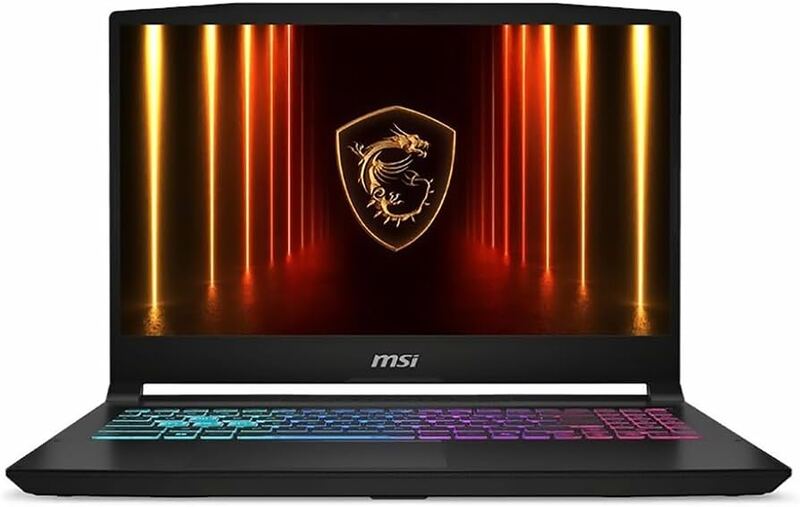
The ASUS TUF Gaming A16 provides outstanding battery life lasting over 14 hours, far exceeding the abysmal endurance of the MSI Katana 15 HX which lasts only a few hours.
Rating sources
“Delivering over 14 hours of battery life in our tests, it redefines what’s possible for an unplugged gaming experience, crushing its competitors and setting a new benchmark for endurance.”
Our 4.6 score is the average of the 3 scored reviews above; 4 more reviewed it without printing a score and are not in the average. Ratings marked * were derived from the reviewer’s written analysis or video transcript — the publisher didn’t print an explicit numeric score, so we inferred one from their own words. Click through to verify. More about methodology.