Verdict
Head-to-head · Best Laptops Under $2000

Dell XPS 13 vs Lenovo ThinkPad L14

Which is the better buy? Side-by-side on rating, price, strengths, and watch-outs — with the published ratings we averaged to get there.

The short answer

Dell XPS 13 and Lenovo ThinkPad L14 score essentially the same (4.1 vs 4.1). Pick the one whose trade-offs match your priorities — the strengths and watch-outs below are where they actually differ.

Dell XPS 13
Ranked #2 in Best Laptops Under $2000
Dell XPS 13
$1,599as of Apr 20

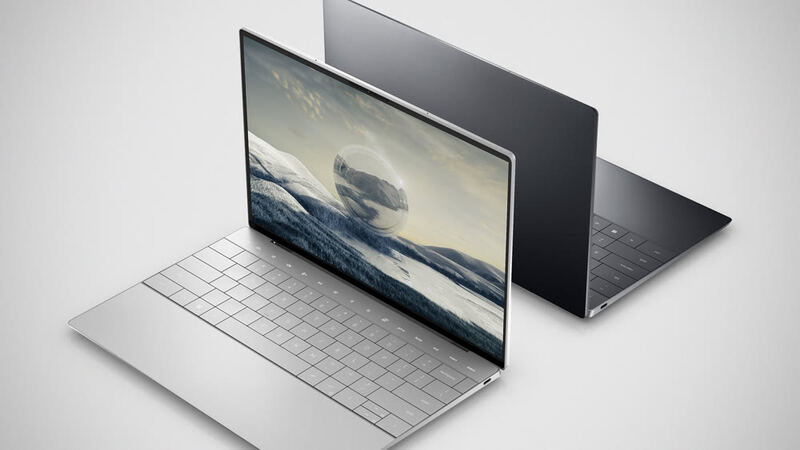
The Dell XPS 13 9345 continues the XPS legacy as a premium ultraportable with its lightweight design, beautiful display, and solid performance. Powered by Snapdragon X Plus for AI tasks, it offers excellent portability and battery life, though at the cost of upgradeability and with a premium price tag.

Strengths
  • Ultra-lightweight design at just over 2.5 lbs for maximum portability
  • Beautiful 120Hz display with crisp text and vibrant colors
  • Solid all-day battery life with fast charging
Watch-outs
  • RAM and storage are soldered and not upgradeable
  • Limited port selection requires dongles for some peripherals
  • Premium price for the specifications offered
Lenovo ThinkPad L14
Ranked #3 in Best Laptops Under $2000
Lenovo ThinkPad L14
$1,129as of Apr 20

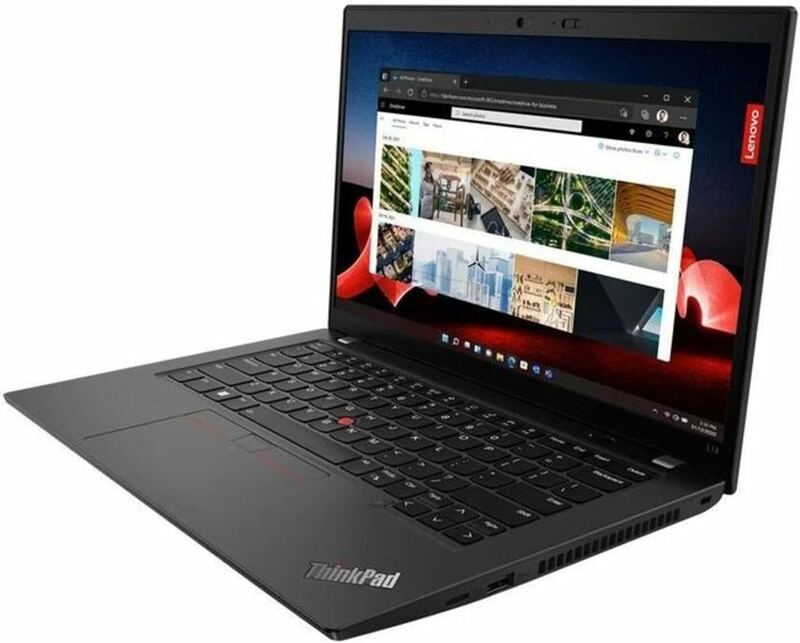
The Lenovo ThinkPad L14 offers a solid, repairable business laptop experience with a modernized 16:10 screen and good upgradeability in its latest Gen 5 AMD variant. However, buyers should be aware of the fragile display panel that marks under pressure and the significant generational gaps in the Intel and older AMD models regarding memory and connectivity standards. While the chassis feels sturdy, the rough plastic textures and tight hinges reflect its budget positioning compared to the premium T series.

Strengths
  • Modernized 16:10 display aspect ratio on the Gen 5 model improves screen real estate compared to older 16:9 versions
  • Gen 5 AMD variant features modern connectivity including USB4 and DDR5 memory support
  • User-replaceable keyboard and accessible SO-DIMM slots allow for easy maintenance and upgrades
Watch-outs
  • Screen panel is fragile and shows pressure marks easily when pressed from the back
  • Gen 4 Intel model is limited to older DDR4 memory and lacks modern Wi-Fi 6E or 7 support
  • Gen 4 Intel model uses an outdated 16:9 display with lower resolution compared to the Gen 5

How they stack up

Dell XPS 13

The Dell XPS 13 competes directly with the ASUS Zenbook 14 OLED and Lenovo ThinkPad T14 Gen 5 in the premium ultraportable space. Its ultra-lightweight design and beautiful 120Hz display make it highly portable, but it lacks the upgradeability of the ThinkPad T14 and the OLED display of the Zenbook. The XPS 13 is ideal for users who prioritize portability above all else.

Lenovo ThinkPad L14

The Lenovo ThinkPad L14 offers a more budget-friendly entry point with modern connectivity like USB4 in its AMD variant, contrasting with the higher price tags of the Lenovo ThinkPad X1 Carbon Gen 12 and HP Elitebook. While it matches the T14 Gen 5 in offering upgradeable RAM, its screen panel is notably more fragile than the robust displays found on the Dell Latitude 14 or the X1 Carbon.

Specs side-by-side

SpecDell XPS 13Lenovo ThinkPad L14
CPUQualcomm Snapdragon X EliteIntel Core Ultra 5 / 7 (Meteor Lake)
RAMUp to 64GB LPDDR5xUp to 64GB DDR5
Display13.4" FHD+ / 3K OLED touch14" FHD IPS (optional 2.2K)
StorageUp to 1TB NVMe SSDUp to 1TB NVMe SSD
Weight1.19 kg / 2.62 lb1.45 kg / 3.2 lb
Ports2x USB-C 3.22x USB-C, 2x USB-A, HDMI, RJ45
Battery LifeUp to 26hUp to 13h
← See the full ranking of best laptops under $2000