Verdict
Head-to-head · Best E-Ink Tablets

Boox Go 10.3 Gen 2 vs Boox Note Air5 C

Which is the better buy? Side-by-side on rating, price, strengths, and watch-outs — with the published ratings we averaged to get there.

Verdict is reader-supported. As an Amazon Associate we earn from qualifying purchases. Some links on this page are affiliate links — if you click through and buy, we may earn a small commission at no extra cost to you. Our ratings are sourced from independent publications, not sponsors.
The short answer

Boox Go 10.3 Gen 2 comes out ahead by a narrow margin (4.1 vs 4.0). Boox Go 10.3 Gen 2 is best for: users wanting more from an e-ink device without sacrificing focus. Read the strengths below before deciding.

Boox Go 10.3 Gen 2
Higher ratedRanked #4 in Best E-Ink Tablets
Boox Go 10.3 Gen 2
3 sources

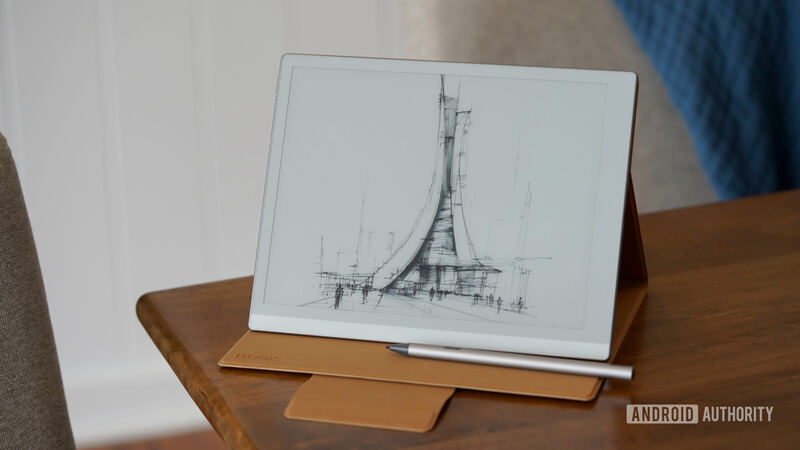
The BOOX Go 10.3 Gen II offers a compelling alternative to Amazon's Kindle Scribe with its sharp 10.3-inch monochrome E-Ink display and Android flexibility. Android Authority praised its paper-like reading experience and lightweight design. However, the stylus requires charging and the software can feel dense. The tablet is ideal for users wanting more from an e-ink device without sacrificing focus or comfort, though those needing front light may prefer the Lumi variant.

Strengths
  • — Lightweight design at 360g with 4.6mm thickness for comfortable long writing sessions
  • — Flexible Android-based software experience with full Play Store access and multi-note-taking workflows
  • — Excellent file format support including EPUBs, PDFs, Word docs, and archive files without conversion tools
Watch-outs
  • — The stylus requires charging
Boox Note Air5 C
Ranked #5 in Best E-Ink Tablets
Boox Note Air5 C
2 sources$529.99as of Oct 11

The Onyx Boox Note Air5 C is a solid evolution of its predecessor, featuring a sleek metal design at 440g. TechRadar called it "a solid color epaper tablet that, sadly, doesn't feel 'new'," and Good e-Reader found little difference from the previous-generation Note Air 4C. The tablet supports an optional keyboard case, though it's not bundled with the device. It comes with a stylus and magnetic case, making it ready for reading and note-taking right out of the box. This tablet is best suited for users who want Android apps on a color e-ink screen, but those seeking a full keyboard experience may find the lack of included accessories limiting.

Strengths
  • — Kaleido 3 color e-paper display showing 4,096 colors
  • — Runs Android 15 with full Google Play Store access
  • — Includes the BOOX Pen3 stylus with 4,096 pressure levels and tilt sensitivity
Watch-outs
  • — No keyboard case included in the box
  • — Price may be steep for some buyers

How they stack up

Boox Go 10.3 Gen 2

The BOOX Go 10.3 Gen 2 offers Android flexibility and full Play Store access that the Kindle Scribe doesn't provide, but the standard model lacks a front light and it requires a charging stylus unlike the Supernote Manta. Compared to the reMarkable 2, it provides more app support.

Boox Note Air5 C

The Boox Note Air5 C offers a color display and Android app support that the Kindle Scribe doesn't match, but at 440g it is slightly heavier than the 433g Kindle Scribe. Compared to the Supernote Manta, it provides Android flexibility and app support but is less portable and lacks the flexible screen technology.

Specs side-by-side

SpecBoox Go 10.3 Gen 2Boox Note Air5 C
Display Size10.3-inch 300ppi monochrome E-Ink10.3-inch
Battery3,700mAh3700mAh
Storage64GB64GB
Weight360g440g
RAM4GB6GB
Resolution2480x1860300PPI (B&W) and 150PPI (Color)
StylusBOOX InkSense PlusIncluded
ProcessorOcta-coreOcta-core CPU
Dimensions9"L x 7"W x 0.17"Th225 x 192 x 5.8 mm
← See the full ranking of best e-ink tablets