Verdict
Head-to-head · Best 1440p 144hz Gaming Monitors

ASUS ROG Strix XG27ACS vs Dell Alienware AW2725DF

Which is the better buy? Side-by-side on rating, price, strengths, and watch-outs — with the published ratings we averaged to get there.

Verdict is reader-supported. As an Amazon Associate we earn from qualifying purchases. Some links on this page are affiliate links — if you click through and buy, we may earn a small commission at no extra cost to you. Our ratings are sourced from independent publications, not sponsors.
The short answer

Dell Alienware AW2725DF comes out ahead by a clear margin (4.6 vs 4.1). Dell Alienware AW2725DF is best for: Competitive gamers who want a 360Hz QD-OLED panel and can live with an audible cooling fan. Read the strengths below before deciding.

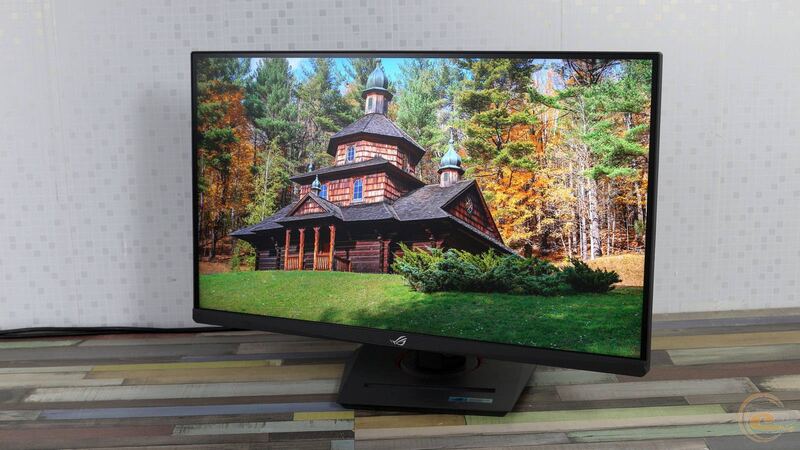
ASUS ROG Strix XG27ACS
Ranked #4 in Best 1440p 144hz Gaming Monitors
ASUS ROG Strix XG27ACS
4 sources$229as of Nov 1

The ASUS ROG Strix XG27ACS is a budget 27-inch 1440p IPS gaming monitor with a 180Hz refresh rate, VRR support and a USB-C port with DisplayPort Alt Mode. PC Gamer scored it 90 and called it a really, really quick monitor by IPS standards, with accurate colors out of the box and the best SDR handling in HDR mode it had seen from an affordable LCD. RTINGS rated it decent for PC gaming, crediting low input lag and sharp motion, but found low contrast with no local dimming, so blacks look gray in a dark room and highlights don't pop in HDR. It suits gamers who want a fast, well-calibrated 1440p IPS screen at a sensible price; anyone after real HDR or competitive-level refresh rates should look elsewhere.

Strengths
  • — Very fast response for an IPS panel; PC Gamer said only OLED is clearly faster
  • — Accurate colors out of the box, including SDR content in HDR mode
  • — Supports all common VRR formats and has low input lag
Watch-outs
  • — Low contrast with no local dimming, so blacks look gray in a dark room
  • — Entry-level HDR400: highlights do not pop in HDR
  • — USB-C power delivery is only 7.5W, too little to charge a laptop
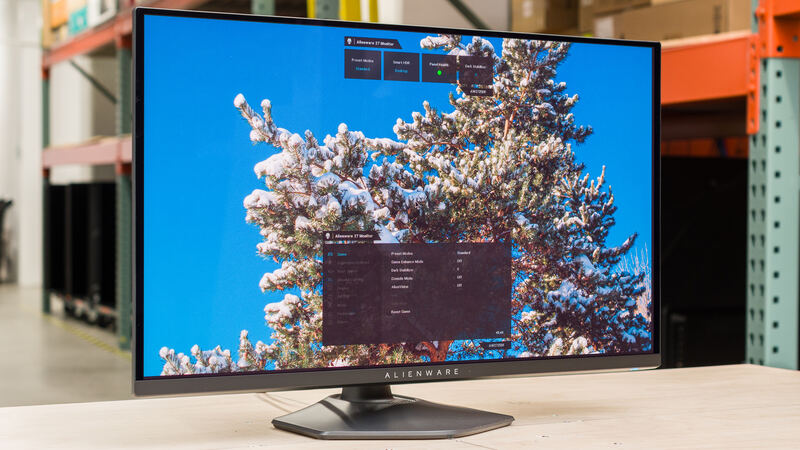
Dell Alienware AW2725DF
Higher ratedRanked #1 in Best 1440p 144hz Gaming Monitors
Dell Alienware AW2725DF
4 sources$500as of Sep 6

The Dell Alienware AW2725DF runs a Samsung Display QD-OLED panel at 360Hz, which puts it among the fastest OLED monitors tested. Tom's Hardware praised the high refresh rate and adaptive-sync support, and TFTCentral noted the panel's rated 0.03ms G2G response time and fully adjustable stand. Reviewers also pointed out that the screen wobbles during adjustments and that the cooling fan is audible. Hardcore gamers chasing ultra-high refresh rates are the fit; anyone who wants a rock-steady stand or silent operation is not.

Strengths
  • — 360Hz refresh rate with adaptive-sync support including AMD FreeSync Premium Pro and VESA AdaptiveSync
  • — Samsung Display QD-OLED panel with 2560 x 1440 resolution and 1000 nits peak brightness
  • — 0.03ms G2G response time for gaming
Watch-outs
  • — Screen has noticeable wobble during adjustments
  • — Active cooling fan audible when listening closely

How they stack up

ASUS ROG Strix XG27ACS

RTINGS compared the ASUS ROG Strix XG27ACS directly with the AOC Q27G3XMN: the AOC's Mini LED backlight with local dimming makes it the better choice for HDR gaming, while the ASUS's wide viewing angles make it the better choice for sharing the screen. Unlike the Dell Alienware AW2725DF's 360Hz QD-OLED panel, it is an IPS LCD capped at 180Hz, and PC Gamer notes you have to move to OLED to get something unambiguously faster.

Dell Alienware AW2725DF

The Dell Alienware AW2725DF is a QD-OLED panel at 360Hz, against 180Hz on the AOC Q27G3XMN's VA panel and 210Hz on the MSI MAG 275QF's Rapid IPS panel. Its stand adjusts for tilt, height, swivel and rotation, where the MSI MAG 275QF has no height or swivel adjustment. Its 1000 nits peak brightness is below the AOC's 1300 nits, and it costs more than both.

Specs side-by-side

SpecASUS ROG Strix XG27ACSDell Alienware AW2725DF
Screen Size27-inch27 in
Panel TypeFast IPSSamsung QD-OLED
Resolution2560 x 14402560 x 1440
Refresh Rate180Hz360Hz
Response Time1ms (GtG, rated)0.03ms G2G
HDRDisplayHDR 400 (no local dimming)—
Color Coverage97% DCI-P3 (rated)—
Inputs1x DisplayPort 1.4, 2x HDMI 2.0, 1x USB-C (DP Alt Mode, 7.5W PD)—
Adaptive SyncVRR (all common formats, per RTINGS)—
StandHeight, tilt, swivel, pivot—
Brightness—250 nits (SDR), 1000 nits (peak HDR)
HDR Support—VESA DisplayHDR True Black 400
← See the full ranking of best 1440p 144hz gaming monitors