Verdict
Head-to-head · Best Portable Monitors

ASUS ROG Strix XG17AHPE 17.3-Inch vs Lenovo ThinkVision M14t Gen 2

Which is the better buy? Side-by-side on rating, price, strengths, and watch-outs — with the published ratings we averaged to get there.

Verdict is reader-supported. As an Amazon Associate we earn from qualifying purchases. Some links on this page are affiliate links — if you click through and buy, we may earn a small commission at no extra cost to you. Our ratings are sourced from independent publications, not sponsors.
The short answer

Lenovo ThinkVision M14t Gen 2 comes out ahead by a narrow margin (4.3 vs 4.2). Lenovo ThinkVision M14t Gen 2 is best for: Best for designers needing touchscreen and stylus support on the road. Read the strengths below before deciding.

ASUS ROG Strix XG17AHPE 17.3-Inch
Ranked #3 in Best Portable Monitors
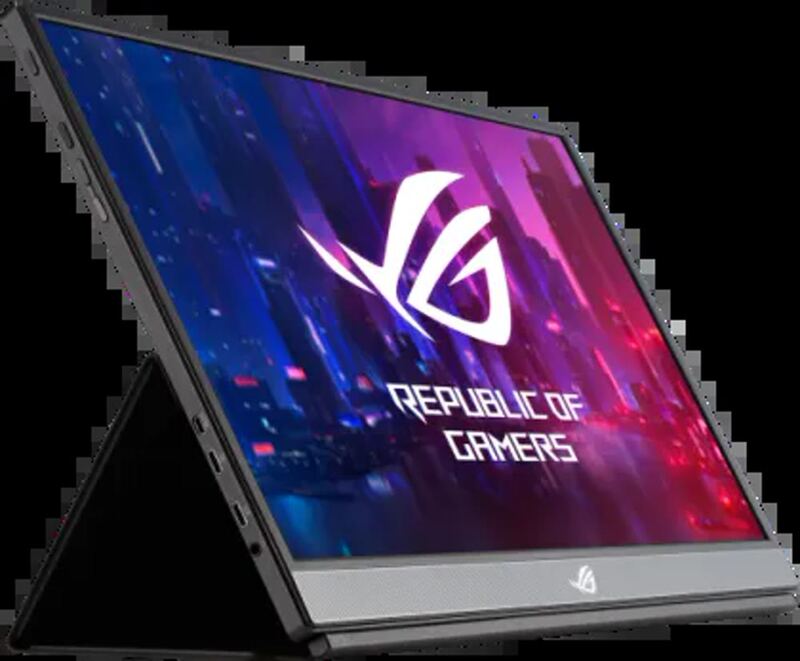
ASUS ROG Strix XG17AHPE 17.3-Inch
4 sources$449as of Sep 25

PCWorld calls the ASUS ROG Strix XG17AHPE an incredible mobile gaming monitor, and the spec sheet explains why: a 240Hz refresh rate and adaptive sync in a portable 17.3-inch IPS package. Tom's Hardware frames it as an expensive innovation. It fits gamers who want high frame rates on the road for travel or LAN parties; budget-conscious shoppers or anyone building a stationary desk setup should look elsewhere.

Strengths
  • — Features a high 240Hz refresh rate for smooth mobile gaming performance, per Tom's Hardware
  • — Extremely portable design weighing only around 2.3 pounds with a thin profile, according to PCWorld
  • — Includes all necessary components in the box, such as a height-adjustable tripod, as PCWorld notes
Watch-outs
  • — High power consumption relative to its small 17-inch size, per PCWorld
  • — Expensive pricing, with the full package costing around $700 at review time
Lenovo ThinkVision M14t Gen 2
Higher ratedRanked #2 in Best Portable Monitors
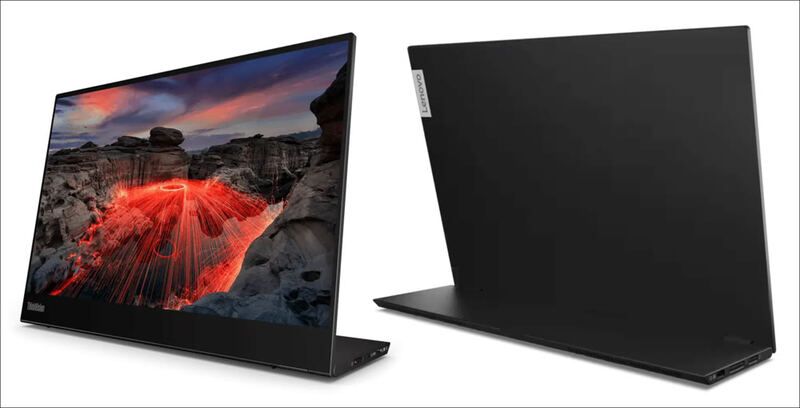
Lenovo ThinkVision M14t Gen 2
6 sources

Reviewers rate the Lenovo ThinkVision M14t Gen 2 as a premium portable display, singling out the 300-nit IPS panel and a stand that flips easily between portrait and landscape. PCMag notes it is limited to USB-C connectivity, though it still works as an effective secondary screen for a laptop. Critics point to the missing built-in speakers and a price above basic portable monitors. Business professionals who need a reliable touch-enabled extension screen are the fit; casual users will be happier with cheaper, non-touch alternatives.

Strengths
  • — Includes a versatile VESA-compatible stand that supports both portrait and landscape orientations
  • — Maintains a lightweight and portable design suitable for mobile professionals and digital nomads
  • — Covers 99.9% of the sRGB color space in testing, unusually wide for a portable monitor
Watch-outs
  • — Lacks built-in speakers, requiring external audio solutions
  • — Higher price point compared to standard non-touch portable monitors

How they stack up

ASUS ROG Strix XG17AHPE 17.3-Inch

The ASUS ROG Strix XG17AHPE runs at 240Hz, against 165Hz for the Arzopa Z1RC and 60 Hz for the ViewSonic VG1655, and it supports adaptive sync. Its 17.3-inch panel is 1920x1080, a lower resolution than the 16-inch Arzopa's 2560 x 1600. It costs more than the ViewSonic VG1655.

Lenovo ThinkVision M14t Gen 2

The Lenovo ThinkVision M14t Gen 2 has a touch-capable 14-inch 2240x1400 panel, a lower resolution than the 2560x1600 of the same-size HP Series 5 Pro, and is rated at 300 nits against the HP's 400. Like the HP, it is USB-C-only, and it weighs 1.61 lb against the HP's 2.43 lb. It has no built-in speakers.

Specs side-by-side

SpecASUS ROG Strix XG17AHPE 17.3-InchLenovo ThinkVision M14t Gen 2
Screen Size17.3-inch14-inch
Resolution1920x10802240 x 1400
Panel TypeIPSIPS
ConnectivityHDMI 2.1, USB-CUSB-C
Refresh Rate240Hz60 Hz
Brightness400 nits300 nits
Weight2.3 lb1.61 lb
StandAdjustable height, tilt, swivelVESA, Portrait/Landscape
← See the full ranking of best portable monitors