Asus's mid-tier Wi-Fi 7 mesh hits the gaming-router sweet spot: low-latency MLO, free security and VPN features, and ASUSWRT's deep tuning surface. Tom's Hardware and Dong Knows both rate it the best value Wi-Fi 7 mesh for households that want hands-on control and don't need 10Gbps ports.
Full review
Real-World Performance
Dong Knows passed the BT8 through a three-day continuous stress test with no disconnects and measured sustained 6GHz throughput close to 2.4Gbps at short range. That's roughly 2.4x faster than Wi-Fi 6E in the same test slot, matching the BT8's marketing claim. Tom's Hardware ran similar tests and found that even with a single 2.5Gbps client maxing the WAN, the 5GHz band still serviced background devices at gigabit-plus speeds - exactly what you want for a gaming-and-streaming household.
MLO (multi-link operation) is where the BT8 separates itself from cheaper Wi-Fi 7 systems. Blacktubi's testing showed jitter under 1ms when MLO combined the 5 and 6GHz bands on a single client, a number that explains the gaming-router framing. For cloud gaming on GeForce NOW or Xbox Cloud Gaming, that consistency matters more than peak throughput - the BT8 holds it where the Eero Pro 7 has to fall back to single-band operation.
Build Quality and Design
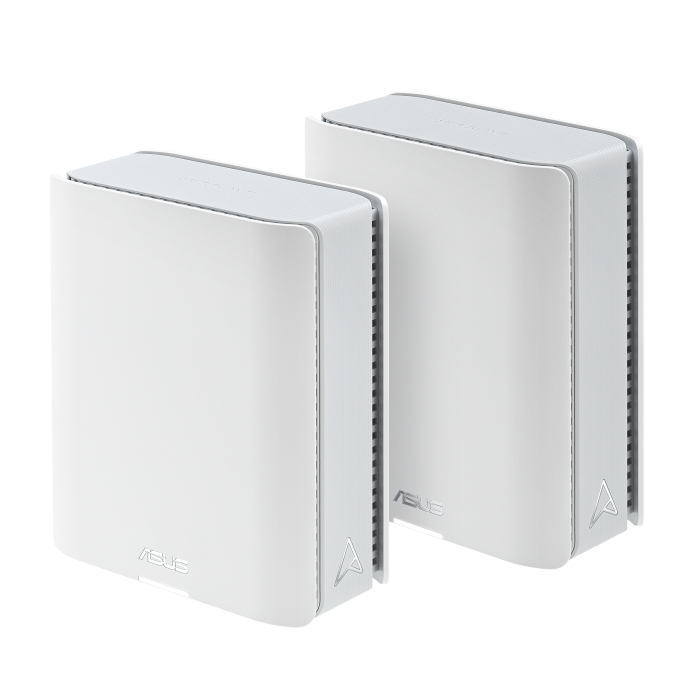
The BT8 is a small rounded-square unit, about the footprint of a hardcover novel, and runs entirely fanless. Dong Knows confirmed the lack of fan was real (not just marketed) and noted the chassis got warm but never uncomfortable. The compact size means it fits on a bookshelf or in a router cabinet without needing the ventilated 6 inches around it that the TP-Link Deco BE85 demands.
Port count is the obvious tradeoff for the small chassis: just two 2.5Gbps Ethernet ports and a USB 3.0 jack per node. That's enough for a wired backhaul plus one downstream device, but if you want to wire multiple PCs or game consoles to a single node, you'll need a separate switch. The BT8 also isn't designed for wall mounting out of the box, which Tom's Hardware flagged as a missed opportunity for a node this small.
Setup and Software
ASUSWRT 5.0 is the BT8's sleeper superpower. While the Deco and Eero apps hide controls, ASUSWRT exposes per-band channel selection, power levels, MU-MIMO behavior, MLO grouping, granular QoS, and a full WireGuard + OpenVPN client and server stack. Blacktubi specifically called out this customization depth as 'commercial-grade' and noted the web interface alone justifies the price for tinkerers.
AiProtection Pro, Asus's Trend Micro-backed security suite, is included free and runs in real time across all nodes - no subscription tier above it. The parental controls are likewise free and include time scheduling, content filtering, and per-device profiles. Coming from Eero Plus ($10/month) or HomeShield Pro ($55/year), the BT8's free-forever security stack is a meaningful long-term cost saving.
Where It Falls Short
The 2.5Gbps ceiling is the headline limitation. If you have a 5Gbps or 10Gbps internet plan, the BT8 will throttle you - the Deco BE85 with dual 10Gbps ports or the Eero Pro 7 with dual 5Gbps ports both surpass it. The three-port-per-node count is also tight; gaming households running a PC, console, and NAS off one node will need to add a switch.
Tom's Hardware and Dong Knows both noted that USB network storage performance is poor (around 20MB/s write, under 80MB/s read), which makes the USB port more useful for a printer than a backup drive. Firmware is generally stable but several reviewers including Blacktubi noted occasional MLO hiccups on launch firmware that required a node reboot to clear. Asus has shipped multiple updates and the issue is reportedly fixed but the early-adopter experience was rough.
Who It's Best For
Buy the BT8 if you game (especially cloud gaming or competitive online), want hands-on control of your wireless settings, and refuse to pay subscription fees for security or VPN features. The combination of MLO-driven low latency, free AiProtection Pro, free OpenVPN/WireGuard, and ASUSWRT's tuning surface makes it the strongest gaming-mesh value on the market under $1,000.
Skip it if you want a 'plug it in and never touch it again' experience - the Eero Pro 7 is built for that and the BT8 is not. Skip it also if you have a multi-gig internet plan above 2.5Gbps, since the BT8 can't service it. For households with 1Gbps service or slower, the 2.5Gbps cap is invisible and the BT8 is the best buy in its price tier.
How It Compares to Alternatives
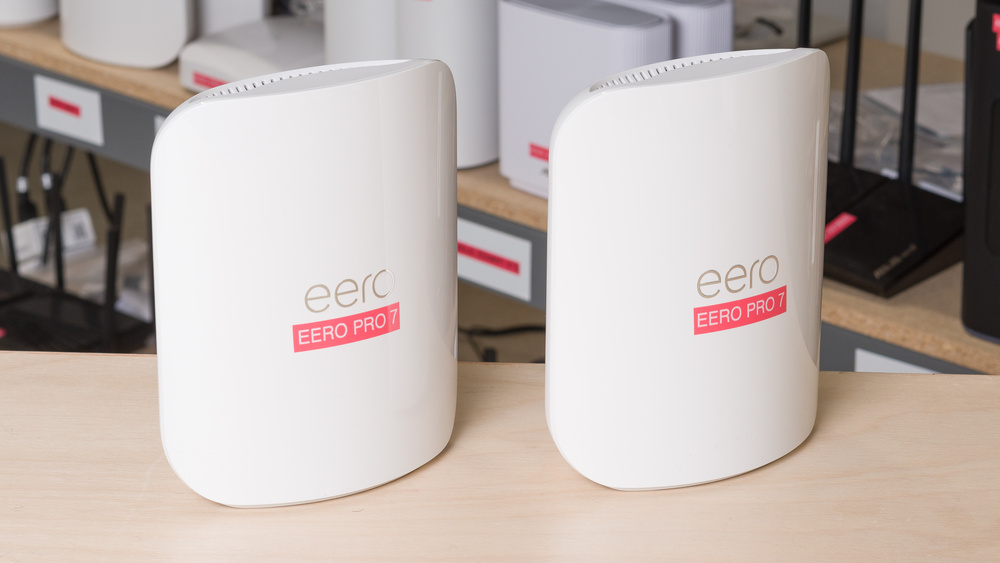
Versus the Eero Pro 7: the Eero has dual 5Gbps ports per node (vs the BT8's dual 2.5Gbps) and a real smart-home hub (Thread, Matter, Zigbee). The BT8 wins on customization and free security; the Eero wins on simplicity and smart-home integration. Both are within $100 of each other in 2026, so the choice comes down to whether you'd rather tune or set-and-forget.
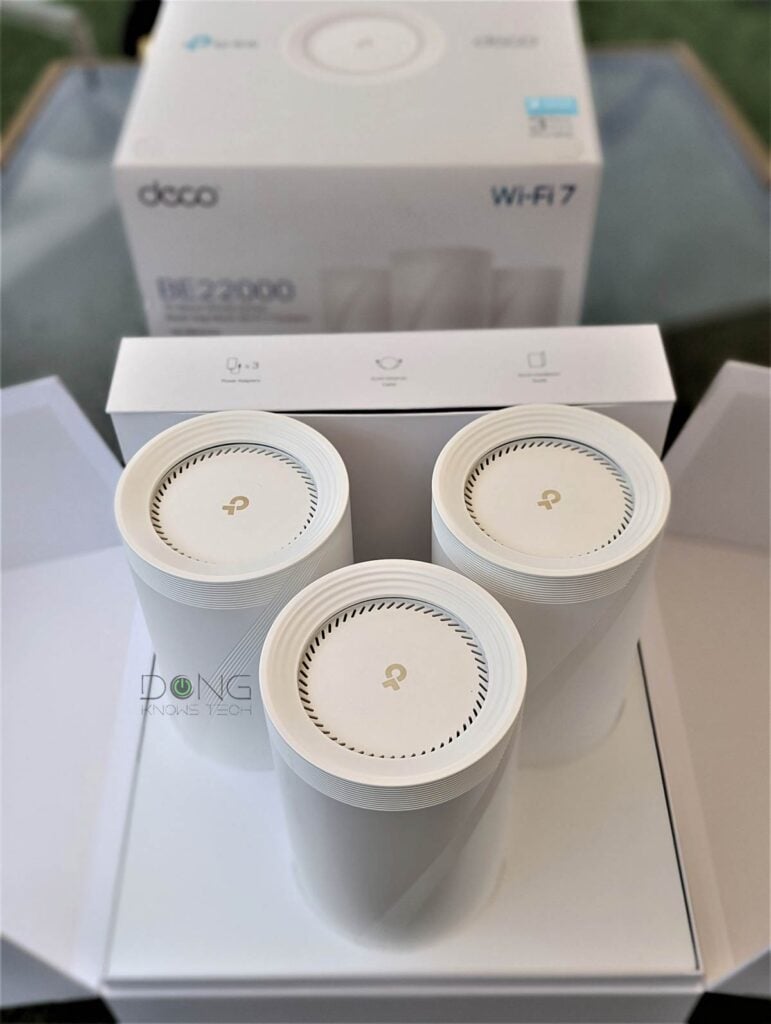
Versus the TP-Link Deco BE85: the Deco has 10Gbps ports, BE22000 ceiling, and more raw throughput; the BT8 is half the price and gives you better software. For pure speed users, Deco. For most gaming households, BT8.
Value at This Price
At $599 for a 2-pack (or $899 for a 3-pack), the BT8 is the cheapest Wi-Fi 7 mesh with serious customization controls and free included security. Every cheaper Wi-Fi 7 mesh in 2026 either ships with subscription-gated features (TP-Link, Eero) or limits the user to app-only basic settings. Dong Knows summarized it as 'great value' and that's reflected in the 8.3/10 score, which is higher than several systems costing twice as much.
Strengths
- +Tri-band Wi-Fi 7 with BE14000 speeds at gaming-friendly latency
- +Free AiProtection Pro, parental controls, and VPN with no subscription
- +ASUSWRT 5.0 web interface with deep customization (rare at this price)
- +Compact, fanless design that runs cool and silent
- +MLO support combines 2.4/5/6 GHz for sub-millisecond jitter on cloud gaming
Watch-outs
- −Capped at 2.5Gbps Ethernet (no 10Gbps option)
- −Only three Ethernet ports per node total
- −USB network storage performance is poor (~20MB/s write)
- −MLO behavior is occasionally finicky on early firmware
How it compares
Lacks the 10Gbps ports and BE22000 ceiling of the TP-Link Deco BE85 but matches its Wi-Fi 7 MLO support and beats it on free security software. Closer in features to the Amazon eero Pro 7 but with far deeper customization controls.
Who this is for
At a glance: Gamers and tinkerers who want low-latency Wi-Fi 7 with free security software and don't need 10Gbps wired.
Why you’d buy the Asus ZenWiFi BT8
- Tri-band Wi-Fi 7 with BE14000 speeds at gaming-friendly latency.
- Free AiProtection Pro, parental controls, and VPN with no subscription.
- ASUSWRT 5.0 web interface with deep customization (rare at this price).
Why you’d skip it
- Capped at 2.5Gbps Ethernet (no 10Gbps option).
- Only three Ethernet ports per node total.
- USB network storage performance is poor (~20MB/s write).
Rating sources
“A solid entry-level multi-gigabit Wi-Fi 7 system, excellent for those happy with 2.5Gbps.”
“Tri-band Wi-Fi 7 mesh at a more affordable price point with strong free security features.”
“Excellent WiFi 7 performance with fast and stable 6 GHz mesh backhaul.”
Our 4.5 score is the average of these published ratings. Ratings marked * were derived from the reviewer’s written analysis or video transcript — the publisher didn’t print an explicit numeric score, so we inferred one from their own words. Click through to verify. More about methodology.